Get certified for free when you join Fabric Data Days 2026 and dive into Fabric, Power BI, SQL, AI, and other essential data skills.
Join nowTry your skills in the Power BI Dataviz World Championship! Round one ends June 26. Join now
I need some help with some Row Level Security DAX formulas in Power BI.
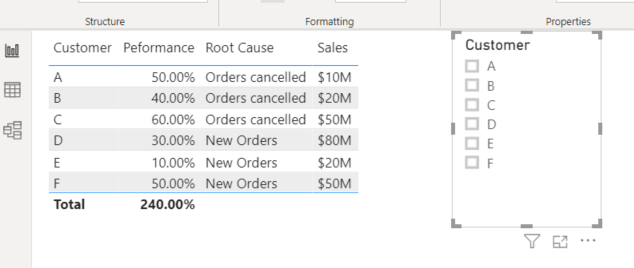
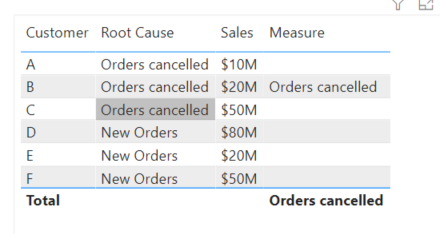
I have a list of Customers below and a filter selection. Some users can see all the data, and some users can only see part of the data.
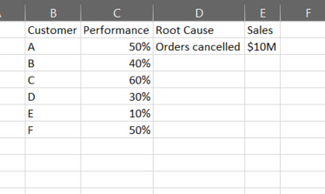
Let's say I'm Customer A. Customer A can see everything on the Customer and Performance column, but the Root Cause and Sales fields need to be blank.
Example of secuirty for selecting Customer A. Notice the blank rows.
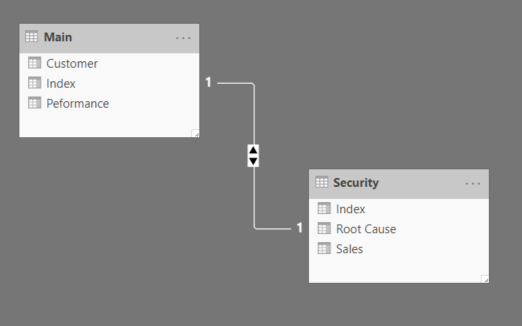
To do this I tried relating two tables then writing some DAX filtering expressions using Manage Roles. However it seams the Manage Roles feature only let's you filter out data and I end up loosing all of the other values.
Solved! Go to Solution.
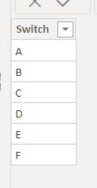
What I ended up doing was using a SWITCH function. I created a new column for each role, then a Measure to Switch between the columns depending on the role.
Hi @Anonymous ,
As you know, it's "Row" level security.
You want to show blank in column value for different customers.
I think you can try to make it in DAX, something like:
measure = if(username() = "A", if(customer_name = username(),customer_name,blank()))
Aiolos Zhao
What I ended up doing was using a SWITCH function. I created a new column for each role, then a Measure to Switch between the columns depending on the role.
| User | Count |
|---|---|
| 23 | |
| 21 | |
| 21 | |
| 17 | |
| 11 |
| User | Count |
|---|---|
| 58 | |
| 55 | |
| 43 | |
| 36 | |
| 35 |