Join us at FabCon Atlanta from March 16 - 20, 2026, for the ultimate Fabric, Power BI, AI and SQL community-led event. Save $200 with code FABCOMM.
Register now!The Power BI Data Visualization World Championships is back! Get ahead of the game and start preparing now! Learn more
Giving dataflows a try in hopes of having a single set of data to refresh upon which I might build multiple reports.
1. Installed the Enterprise Gateway to local PC
2. Created dataflow in PowerBi service
3. Created a connection between dataflow and my local Access database successfully via the gateway
4. Imported tables from local Access database successfully to dataflow with all data intact
5. Created new desktop pbix and chose the dataflow as data source - can see the dataflow entities (my Access tables) and selected them
6. Tables load into local pbix file but are empty of data
Any idea why the data is not loading? I manually refreshed the online data, can see data there but the local desktop file still sees only empty tables.
Thanks for any help.
Lori
Hi @merryseeker ,
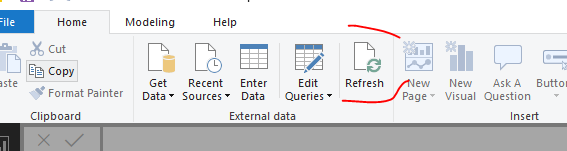
Based on my test as the blog, I cannot reproduce your issue here. Any my Power BI desktop version is 2.68.5432.241 64-bit (April 2019). Could you please update the latest version and try again or just refresh the data in UI interface.
Can you advise on this error please?
Hi, did you get any solution for this? My connection is excel, and it also does not appear on my desktop, when I connect in the flow.
The Power BI Data Visualization World Championships is back! Get ahead of the game and start preparing now!
Check out the November 2025 Power BI update to learn about new features.
| User | Count |
|---|---|
| 65 | |
| 44 | |
| 40 | |
| 29 | |
| 19 |
| User | Count |
|---|---|
| 202 | |
| 130 | |
| 102 | |
| 72 | |
| 55 |