
Join us at FabCon Atlanta from March 16 - 20, 2026, for the ultimate Fabric, Power BI, AI and SQL community-led event. Save $200 with code FABCOMM.
Register now!The Power BI Data Visualization World Championships is back! Get ahead of the game and start preparing now! Learn more
Hi ,
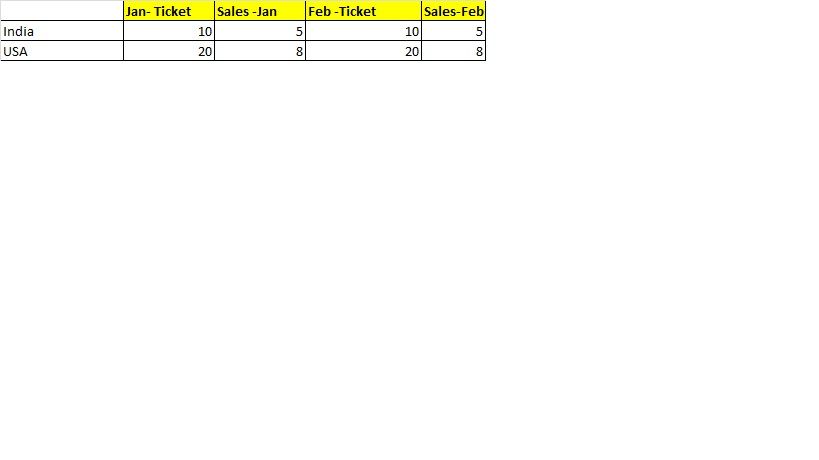
I have a Dataset as below. Four columns are there in the dataset
I would like to transpose the column as below
How can we achieve in Power BI
Thanks
Solved! Go to Solution.
You may use the Matrix visual. Drag Country to Rows, Month to Columns, and Ticket and Sales to Values.
Hi @jacobmk,
This is a useful article which explains it in detail:
http://radacad.com/pivot-and-unpivot-with-power-bi
Regards,
L.Meijdam
The Power BI Data Visualization World Championships is back! Get ahead of the game and start preparing now!
| User | Count |
|---|---|
| 39 | |
| 37 | |
| 33 | |
| 32 | |
| 29 |
| User | Count |
|---|---|
| 132 | |
| 86 | |
| 85 | |
| 68 | |
| 64 |