cancel
Showing results for 
Search instead for 
Did you mean: 

A new Data Days event is coming soon! This time we’re going bigger than ever. Fabric, Power BI, SQL, AI and more. Don't miss out.

Reply
F75
Advocate I
Advocate I

Pie Char -inconsistent visual interaction behavior

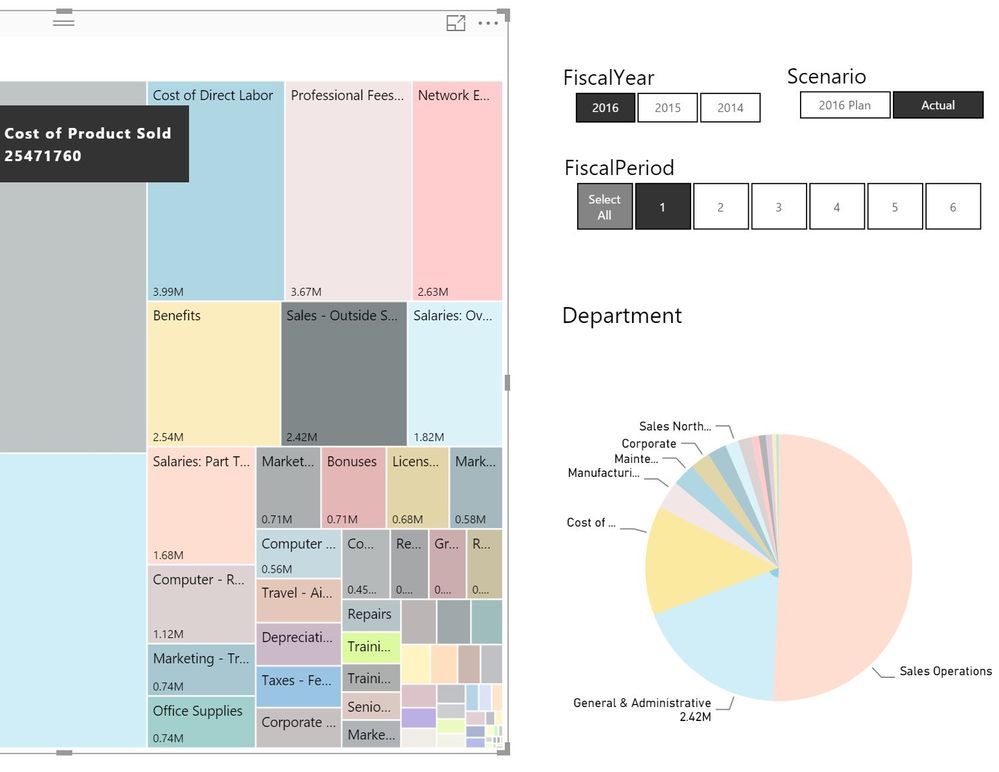
I have Accounts in a Tree map and Departments in a pie chart. When I select an account e.g. 'Sales -Outside Services' (Total 2.42 Mil) the pie chart highlights General & Administration department which has data and displays the value label 2.42 Mil. In this case there are no records for other department.


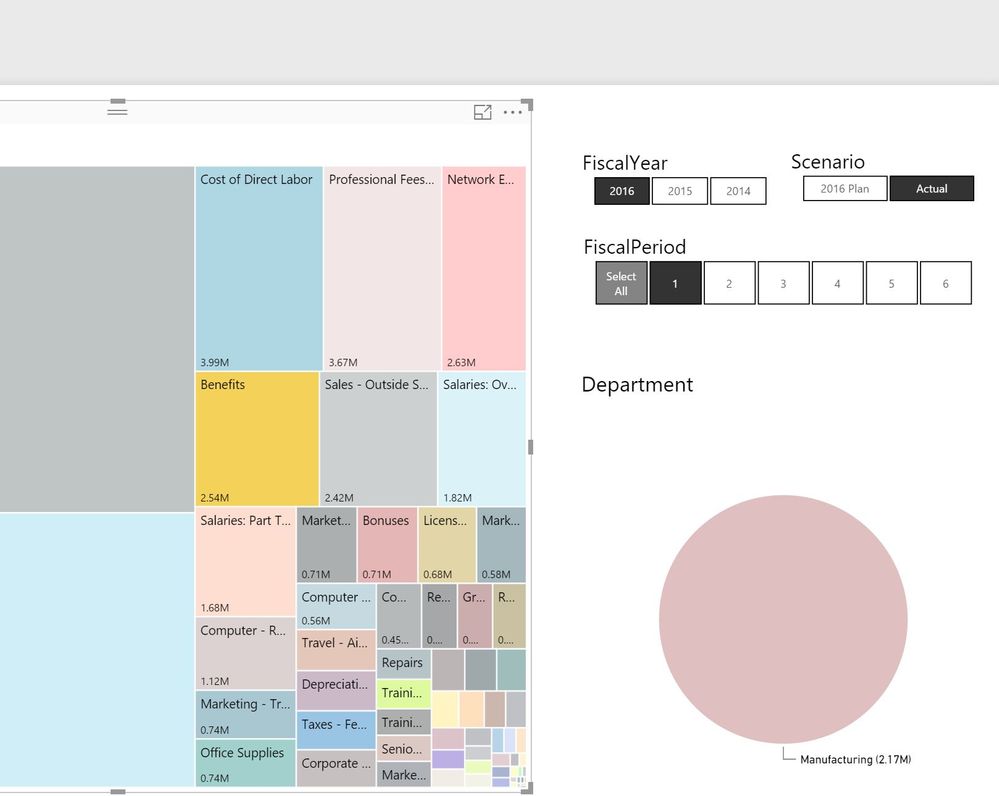
But when I select account 'Benefits' (Total 2.54 Mil), only one department 'Manufacturing' with value -2.17 M is displayed. There is data for other department, but not displayed?


There are two issues

  1. Pie chart display is inconsistent; it should display all departments with highlighted values or should not display departments which do not have data. 
  2. In second case, the pie chart displays negative value. Which is not true, Icheckedthe records and there are no negative values. (Note: there are some records in the dataset with negative values, and Pie chart warning message is displayed)pie1.JPGpie2.JPG

How do I make pie chart display consistent?

1 ACCEPTED SOLUTION
BhaveshPatel
Super User
Super User

You can use the Edit Interactions on the view tab to make it behave nicely.

Thanks & Regards,
Bhavesh

Love the Self Service BI.
Please use the 'Mark as answer' link to mark a post that answers your question. If you find a reply helpful, please remember to give Kudos.

View solution in original post

2 REPLIES 2
BhaveshPatel
Super User
Super User

You can use the Edit Interactions on the view tab to make it behave nicely.

Thanks & Regards,
Bhavesh

Love the Self Service BI.
Please use the 'Mark as answer' link to mark a post that answers your question. If you find a reply helpful, please remember to give Kudos.

Thanks

Helpful resources

Announcements
May Power BI Update Carousel

Power BI Monthly Update - May 2026

Check out the May 2026 Power BI update to learn about new features.

Fabric SQL PBI Data Days

Data Days 2026 coming soon!

Sign up to receive a private message when registration opens and key events begin.

New to Fabric survey Carousel

New to Fabric Survey

If you have recently started exploring Fabric, we'd love to hear how it's going. Your feedback can help with product improvements.

Power BI DataViz World Championships carousel

Power BI DataViz World Championships - June 2026

A new Power BI DataViz World Championship is coming this June! Don't miss out on submitting your entry.