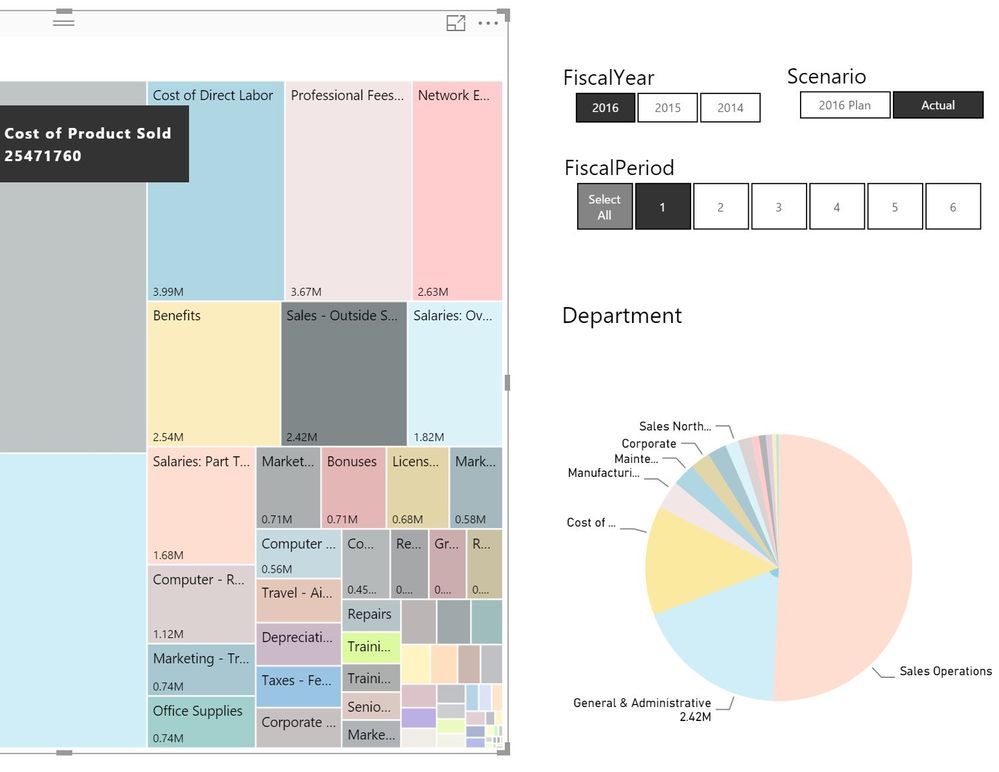
I have Accounts in a Tree map and Departments in a pie chart. When I select an account e.g. 'Sales -Outside Services' (Total 2.42 Mil) the pie chart highlights General & Administration department which has data and displays the value label 2.42 Mil. In this case there are no records for other department.
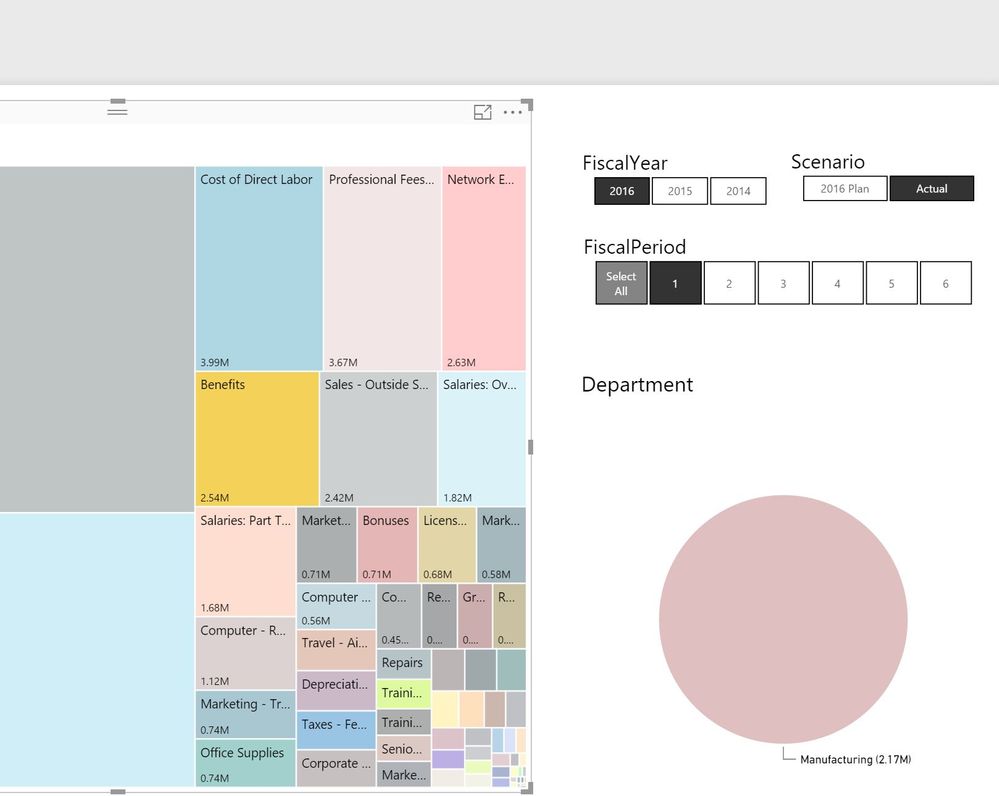
But when I select account 'Benefits' (Total 2.54 Mil), only one department 'Manufacturing' with value -2.17 M is displayed. There is data for other department, but not displayed?
There are two issues
- Pie chart display is inconsistent; it should display all departments with highlighted values or should not display departments which do not have data.
- In second case, the pie chart displays negative value. Which is not true, Icheckedthe records and there are no negative values. (Note: there are some records in the dataset with negative values, and Pie chart warning message is displayed)
How do I make pie chart display consistent?


