Hello,
I have a parameter in the form of a drop-down list, driven by a list query. This list query is a query that pulls values from a SQL Server stored procedure. This stored procedure runs a query that looks up a set of values and then returns those values into my Power BI drop down list parameter. This is working without issue.
Now I would like to take the parameter value (called "Location") that the user selected and insert that value as a variable into another SQL Server stored procedure. When I do this, I get the following error:
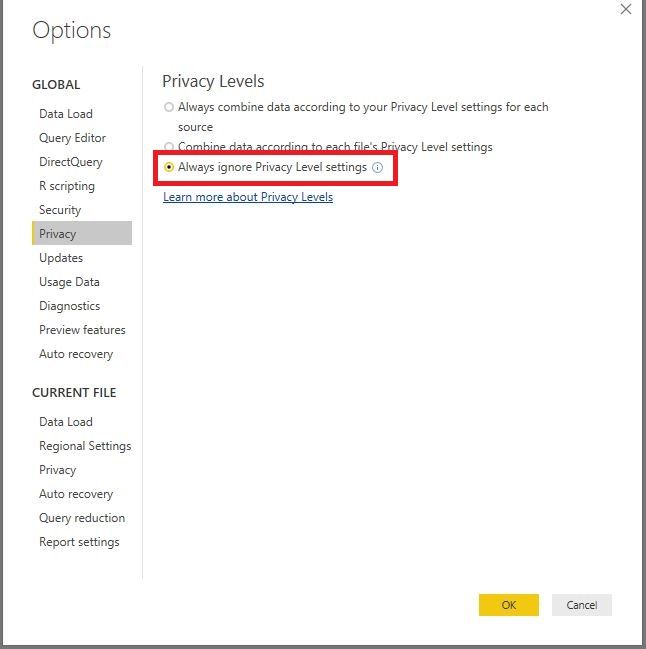
Formula.Firewall: Query 'MyQuery' (step 'Source') references other queries or steps, so it may not directly access a data source. Please rebuild this data combination.
I tried referencing the following article, but I'm having trouble identifying how to implement this workaround in my case: https://www.excelguru.ca/blog/2015/03/11/power-query-errors-please-rebuild-this-data-combination/
Here's the M I'm currently using to take my parameter value (Location) and pass that as a variable into my stored procedure as the @LOCATION variable:
let
locationp = Text.Upper(Location),
Source = Sql.Database("ServerAddress", "DatabaseName", [Query="#(lf)DECLARE @return_value int#(lf)EXEC @return_value = [dbo].[StoredProcedureName]#(lf) @LOCATION= " & "N'" & locationp & "' #(lf)SELECT 'Return Value' = @return_value#(lf)"])
in
Source
Any insight into how to get around this error is much appreciated!