cancel
Showing results for 
Search instead for 
Did you mean: 

July 28 - August 9 | Final Round of the Power BI Dataviz World Championships. This is your chance. Learn more

Reply
simonGIS
Helper I
Helper I

Parse JSON from Web

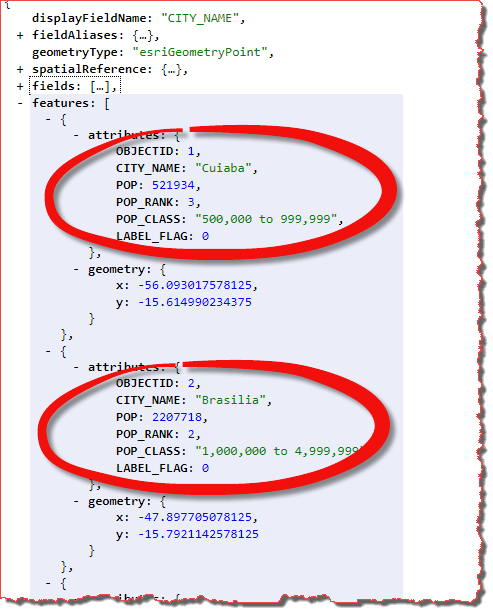
I can hit this endpoint to request some JSON of World Cities, no authentication required.


I can use the 'Get Data - Web' from PowerBI Desktop, and I have tried a few variations, but it would appear that it is expecting a CSV, which I do not have available to me.


What would be the right way to get the Cities from the features in the JSON into corresponding rows in a table?

I would want the ability to refresh the data from the endpoint, so hitting the URL is important.


1.png

1 ACCEPTED SOLUTION
v-eachen-msft
Community Support
Community Support

Hi @simonGIS ,


You could use "Json.Document" to replace "Csv.Document" and remove other extra codes in the "Source".

Here is the document for your reference.
https://community.powerbi.com/t5/Desktop/rest-api-json-issue-column-issue/td-p/556282

Or you could import it with ODBC.

https://zappysys.com/blog/howto-import-json-rest-api-power-bi/


Community Support Team _ Eads
If this post helps, then please consider Accept it as the solution to help the other members find it.

View solution in original post

2 REPLIES 2
v-eachen-msft
Community Support
Community Support

Hi @simonGIS ,


You could use "Json.Document" to replace "Csv.Document" and remove other extra codes in the "Source".

Here is the document for your reference.
https://community.powerbi.com/t5/Desktop/rest-api-json-issue-column-issue/td-p/556282

Or you could import it with ODBC.

https://zappysys.com/blog/howto-import-json-rest-api-power-bi/


Community Support Team _ Eads
If this post helps, then please consider Accept it as the solution to help the other members find it.

Thanks.


So, started fresh. 

  • Power Query Editor, new query
  • Added JSON from URL
  • Applied Steps, Changed Type, Open Advanced Editor
  • Removed the Csv.Document( and 2nd param
  • Changed to JSON type
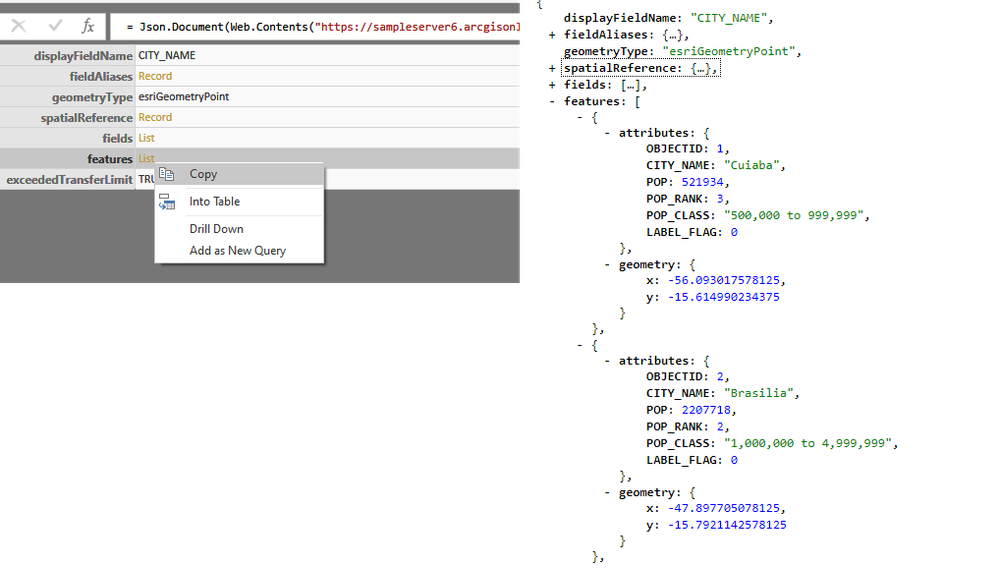
  • Drilled down into features
  • Tried converting this to table 

From here I have two nested properties that I need to flatten into a table, the attributes and geometry


End goal table:

CITY_NAMEPOPPOP_RANKPOP_CLASSXY
London700003700 - 90012345.112345.2
............


What would be the next steps to attempt to flatten out the JSON to get the above desired table?


11.png


Helpful resources

Announcements
Fabric Community Sticker Design Challenge Barcelona Carousel

Fabric Community Sticker Challenge - Barcelona 2026

If you love stickers, then you will definitely want to check out our community sticker challenge, Barcelona edition!

July Power BI Update Carousel

Power BI Monthly Update - July 2026

Check out the July 2026 Power BI update to learn about new features.

Power BI DataViz World Championships carousel

Power BI DataViz World Championships - June 2026

A new Power BI DataViz World Championship is coming this June! Don't miss out on submitting your entry.

Top Solution Authors