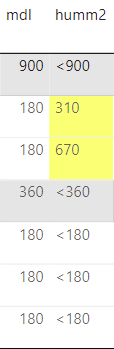
I am trying to create a report, that per client requests, should have cell background colour formatting for when a value is above the threshold. I am struggling to find a way around this. The values are based on string type, which any value equal or under the threshold has a < in front of it (<900, <1800) so for this case I could just use that as the filter, any value that has "<" or is blank should have "White" background colour formatting, whereas any other value should be yellow.
I'm trying with the current formula:
=IIF(InStr(Fields!humm2.Value, "<") > 0 OR IsNothing(Fields!humm2.Value) OR Fields!humm2.Value = "", "White", "Yellow")
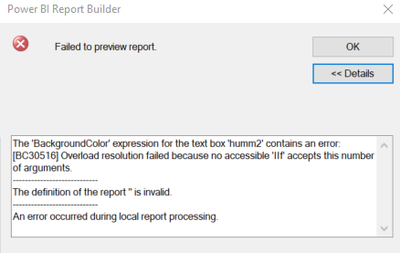
Yet I get this info:
The 'BackgroundColor' expression for the text box 'Textbox37' contains an error: [BC30451] 'CONTAINSSTRING' is not declared. It may be inaccessible due to its protection level.
The definition of the report '' is invalid.
An error occurred during local report processing.
How should I write the formula to get it to work? Cheers
From a PBI Desktop App report it should look like this: