Join us at FabCon Atlanta from March 16 - 20, 2026, for the ultimate Fabric, Power BI, AI and SQL community-led event. Save $200 with code FABCOMM.
Register now!The Power BI Data Visualization World Championships is back! Get ahead of the game and start preparing now! Learn more
Hi,
I have page level filters and I want to be able to show when they are being used, is that possible?
Example: Page level filter of regions, so if I select "Canada" a filter on the page show's that Cananda is being shown, or Canada, US, and Europe, or US and Europe, ect.
Solved! Go to Solution.
Change it like so.
Regions =
IF (
ISFILTERED ( Data[Region] ),
CONCATENATEX ( VALUES ( Data[Region] ), Data[Region], ", ", Data[Region] )
)
HI @Mariusz ,
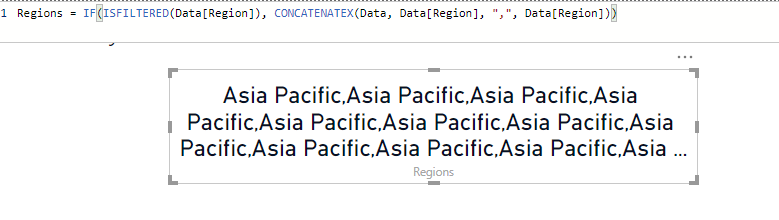
It shows it many times instead of one, the data has many rows of the region. Is there a way so it only comes up once?
Change it like so.
Regions =
IF (
ISFILTERED ( Data[Region] ),
CONCATENATEX ( VALUES ( Data[Region] ), Data[Region], ", ", Data[Region] )
)
Hello @alisonpappas
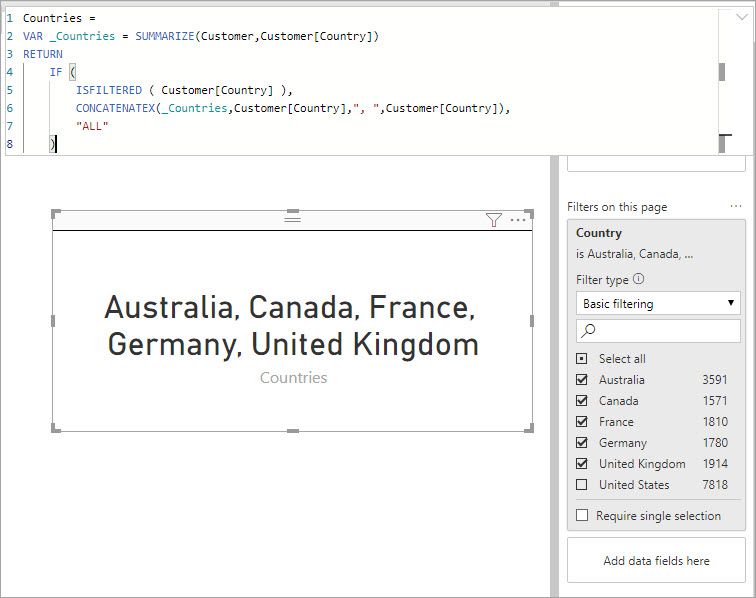
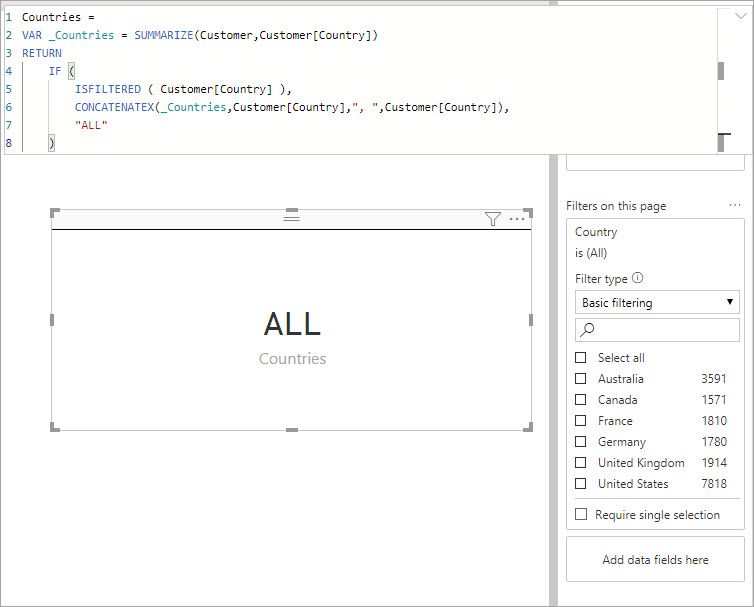
You can write a measure to string together the selected values. Something like this then pull that measure into a card maybe.
Countries =
VAR _Countries = SUMMARIZE(Customer,Customer[Country])
RETURN
IF (
ISFILTERED ( Customer[Country] ),
CONCATENATEX(_Countries,Customer[Country],", ",Customer[Country]),
"ALL"
)
When there is a selection it shows the list
When there is no filter it shows "ALL"
The Power BI Data Visualization World Championships is back! Get ahead of the game and start preparing now!
| User | Count |
|---|---|
| 40 | |
| 37 | |
| 33 | |
| 29 | |
| 27 |
| User | Count |
|---|---|
| 133 | |
| 104 | |
| 61 | |
| 59 | |
| 55 |