Join us at FabCon Atlanta from March 16 - 20, 2026, for the ultimate Fabric, Power BI, AI and SQL community-led event. Save $200 with code FABCOMM.
Register now!The Power BI Data Visualization World Championships is back! Get ahead of the game and start preparing now! Learn more
Hi guys,
In Power Query , in a table , I have 2 or plus steps of rename separately. I wonder if I group them in one same step of rename, will I optimize the performance even if it's a little. Of course, they are independants of others steps of transformation.
I would appreciate if there is some engineering explaination
Thank you in advance !
Have a nice weekend !
Solved! Go to Solution.
Hi @bboy0009 !
Every time we run a query or update it, there is a bunch of operations that Power Query/vertipaq do "behind the scenes".
I have duplicated a query "product" to "product (2)".
In "product, we have 2 renames separately (rename 1 and rename 2 - 2 separate steps):
In product (2), I've put together the 2 renames in just one step "renamed column":
This means that power query did half of the category operations, therefore half of the "effort" to get to the same result.
You can try this yourself here:

Depending on the options you select to "diagnose", several new audit queries will appear:
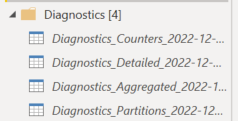
Despite reducing operations to "half" there is the question of organization: we should, has best practice to have our steps in Power Query organized and reduced to the minimum number, which avoids further confusion and eases the maintenance time 🙂
Hope I was of assistance!
Cheers
Joao Marcelino
If you liked my solution, please give it a thumbs up. And if I did answer your question, please mark this post as a solution. Thanks!
Hi @bboy0009 !
Every time we run a query or update it, there is a bunch of operations that Power Query/vertipaq do "behind the scenes".
I have duplicated a query "product" to "product (2)".
In "product, we have 2 renames separately (rename 1 and rename 2 - 2 separate steps):
In product (2), I've put together the 2 renames in just one step "renamed column":
This means that power query did half of the category operations, therefore half of the "effort" to get to the same result.
You can try this yourself here:
Depending on the options you select to "diagnose", several new audit queries will appear:
Despite reducing operations to "half" there is the question of organization: we should, has best practice to have our steps in Power Query organized and reduced to the minimum number, which avoids further confusion and eases the maintenance time 🙂
Hope I was of assistance!
Cheers
Joao Marcelino
If you liked my solution, please give it a thumbs up. And if I did answer your question, please mark this post as a solution. Thanks!
The Power BI Data Visualization World Championships is back! Get ahead of the game and start preparing now!
| User | Count |
|---|---|
| 46 | |
| 42 | |
| 34 | |
| 31 | |
| 21 |
| User | Count |
|---|---|
| 133 | |
| 126 | |
| 95 | |
| 80 | |
| 65 |