Join us at FabCon Atlanta from March 16 - 20, 2026, for the ultimate Fabric, Power BI, AI and SQL community-led event. Save $200 with code FABCOMM.
Register now!The Power BI Data Visualization World Championships is back! Get ahead of the game and start preparing now! Learn more
Hi all,
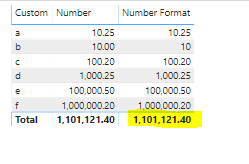
I need to know how to remove total on the "Number Format" column
Solved! Go to Solution.
Finally its works with
Column =
IF (
Table[Number] = INT ( Table[Number] ),
FORMAT ( Table[Number], "#,#" ),
FORMAT ( Table[Number], "#,0.00" )
)
much appreciate your reply
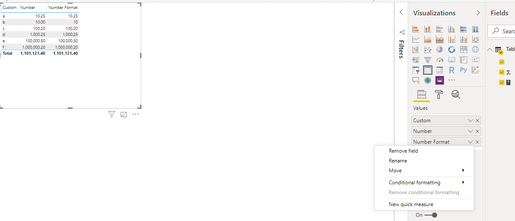
in my "number format " Column's options shown like this,
Hi.,
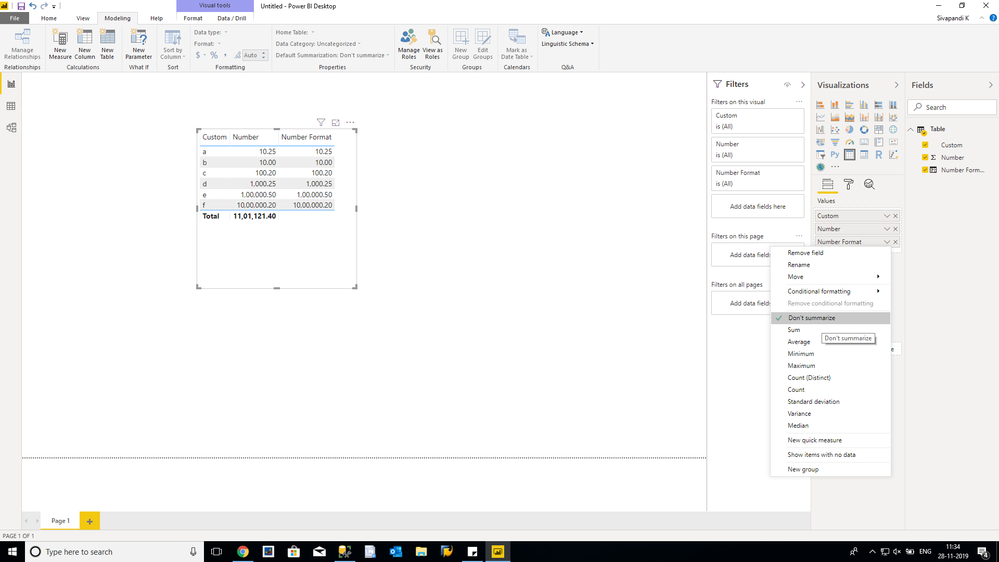
Check your data type in modeling tab for that particular coloumn. It should not be text . it should be a decimal.
Thanks
It's in Text Format because of this
Hai.,
Ignore my earlier post...this will work....
Number Format =
VAR X =
COUNTROWS ( VALUES ( 'Table'[Custom] ) )
RETURN
IF (
X > 1,
"",
IF (
SUM ( 'Table'[Number] ) = INT ( SUM ( 'Table'[Number] ) ),
FORMAT ( SUM ( 'Table'[Number] ), "#,#" ),
FORMAT ( SUM ( 'Table'[Number] ), "#,0.00" )
)
)
Finally its works with
Column =
IF (
Table[Number] = INT ( Table[Number] ),
FORMAT ( Table[Number], "#,#" ),
FORMAT ( Table[Number], "#,0.00" )
)
The Power BI Data Visualization World Championships is back! Get ahead of the game and start preparing now!
| User | Count |
|---|---|
| 39 | |
| 35 | |
| 33 | |
| 32 | |
| 27 |
| User | Count |
|---|---|
| 136 | |
| 96 | |
| 77 | |
| 67 | |
| 65 |