Share feedback directly with Fabric product managers, participate in targeted research studies and influence the Fabric roadmap.
Sign up nowGet Fabric certified for FREE! Don't miss your chance! Learn more
Hi all,
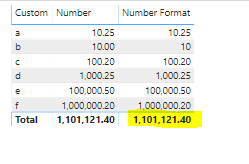
I need to know how to remove total on the "Number Format" column
Solved! Go to Solution.
Finally its works with
Column =
IF (
Table[Number] = INT ( Table[Number] ),
FORMAT ( Table[Number], "#,#" ),
FORMAT ( Table[Number], "#,0.00" )
)
much appreciate your reply
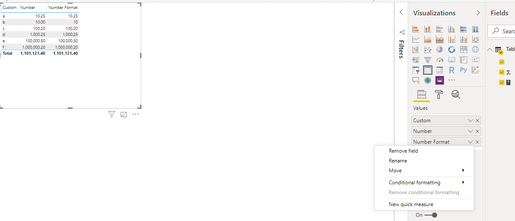
in my "number format " Column's options shown like this,
Hi.,
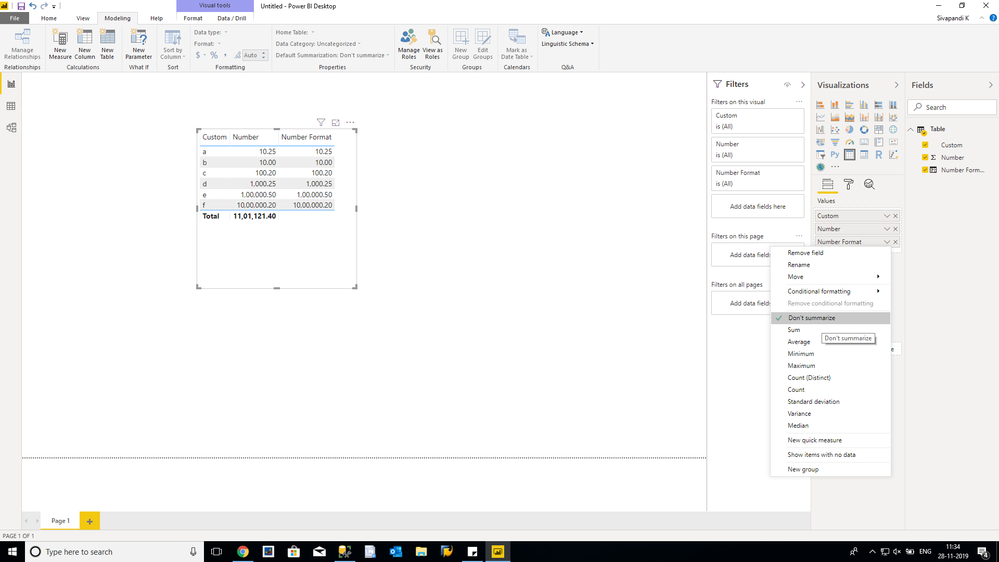
Check your data type in modeling tab for that particular coloumn. It should not be text . it should be a decimal.
Thanks
It's in Text Format because of this
Hai.,
Ignore my earlier post...this will work....
Number Format =
VAR X =
COUNTROWS ( VALUES ( 'Table'[Custom] ) )
RETURN
IF (
X > 1,
"",
IF (
SUM ( 'Table'[Number] ) = INT ( SUM ( 'Table'[Number] ) ),
FORMAT ( SUM ( 'Table'[Number] ), "#,#" ),
FORMAT ( SUM ( 'Table'[Number] ), "#,0.00" )
)
)
Finally its works with
Column =
IF (
Table[Number] = INT ( Table[Number] ),
FORMAT ( Table[Number], "#,#" ),
FORMAT ( Table[Number], "#,0.00" )
)
Share feedback directly with Fabric product managers, participate in targeted research studies and influence the Fabric roadmap.
| User | Count |
|---|---|
| 57 | |
| 52 | |
| 42 | |
| 18 | |
| 14 |
| User | Count |
|---|---|
| 111 | |
| 104 | |
| 35 | |
| 27 | |
| 27 |