cancel
Showing results for 
Search instead for 
Did you mean: 

July 7 - July 17 | Round 2 of the Power BI Dataviz World Championships. Don't miss your chance! Learn more

Reply
prabhupan
Helper I
Helper I

Networkdays error

hello, 


as suggested in earlier discussions for calculating the networkdays / weekdays between dates; i created a table "Calendar" and then a flag "Check" which will be 1 for weekdays and 0 otherwise. 


i know tried to create a column as below but the error "an invalid numeric representation of a date value was encountered". 


DaysGiven2 = var New1 = CALCULATE(MAXX(RRTRequestsStatusChanges,RRTRequestsStatusChanges[Date]),FILTER(RRTRequestsStatusChanges,RRTRequestsStatusChanges[New]="1 New"),FILTER(RRTRequests,RRTRequests[RequestID]=RRTRequestsStatusChanges[FiD])) return CALCULATE(SUM('Calendar'[Check]),DATESBETWEEN('Calendar'[CalendarDate],RRTRequestsStatusChanges[StartDate],New1))


Let me know what wrong... 

@ PK
1 ACCEPTED SOLUTION
v-ljerr-msft
Microsoft Employee
Microsoft Employee

Hi @prabhupan,


Could you try the formula below to see if it works?Smiley Happy

DaysGiven2 =
VAR New1 =
    CALCULATE (
        MAXX ( RRTRequestsStatusChanges, RRTRequestsStatusChanges[Date] ),
        FILTER ( RRTRequestsStatusChanges, RRTRequestsStatusChanges[New] = "1 New" ),
        FILTER ( RRTRequests, RRTRequests[RequestID] = RRTRequestsStatusChanges[FiD] )
    )
RETURN
    CALCULATE (
        SUM ( 'Calendar'[Check] ),
        FILTER (
            Calendar,
            'Calendar'[CalendarDate] >= RRTRequestsStatusChanges[StartDate]
                && 'Calendar'[CalendarDate] <= New1
        )
    )


Regards

View solution in original post

5 REPLIES 5
v-ljerr-msft
Microsoft Employee
Microsoft Employee

Hi @prabhupan,


Could you try the formula below to see if it works?Smiley Happy

DaysGiven2 =
VAR New1 =
    CALCULATE (
        MAXX ( RRTRequestsStatusChanges, RRTRequestsStatusChanges[Date] ),
        FILTER ( RRTRequestsStatusChanges, RRTRequestsStatusChanges[New] = "1 New" ),
        FILTER ( RRTRequests, RRTRequests[RequestID] = RRTRequestsStatusChanges[FiD] )
    )
RETURN
    CALCULATE (
        SUM ( 'Calendar'[Check] ),
        FILTER (
            Calendar,
            'Calendar'[CalendarDate] >= RRTRequestsStatusChanges[StartDate]
                && 'Calendar'[CalendarDate] <= New1
        )
    )


Regards

hello @v-ljerr-msft,


Infact it works with a slight change. 


DaysGiven2 =
VAR New1 =
CALCULATE (
MAXX ( RRTRequestsStatusChanges, RRTRequestsStatusChanges[Date] ),
FILTER ( RRTRequestsStatusChanges, RRTRequestsStatusChanges[New] = "1 New" ),
FILTER ( RRTRequests, RRTRequests[RequestID] = RRTRequestsStatusChanges[FiD] )
)
RETURN
CALCULATE (
SUM ( 'Calendar'[Check] ),
FILTER (
'Calendar',
'Calendar'[CalendarDate] >= New1
&& 'Calendar'[CalendarDate] <= RRTRequestsStatusChanges[StartDate]
)
)


Thanks for your suggestion. Smiley Happy

@ PK

hello @v-ljerr-msft,


Returns blank. Smiley Sad


daysgiven2.png

@ PK
Phil_Seamark
Microsoft Employee
Microsoft Employee

Hi @prabhupan,


Just trying to understand where your error is.


What do you get when you run just the following


DaysGiven2 test =
VAR New1 =
    CALCULATE (
        MAXX ( RRTRequestsStatusChanges, RRTRequestsStatusChanges[Date] ),
        FILTER ( RRTRequestsStatusChanges, RRTRequestsStatusChanges[New] = "1 New" ),
        FILTER ( RRTRequests, RRTRequests[RequestID] = RRTRequestsStatusChanges[FiD] )
    )

Return New1

To learn more about DAX visit : aka.ms/practicalDAX

Proud to be a Datanaut!

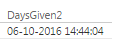
hello @Phil_Seamark,


It returns the date. 

days.png


@ PK

Helpful resources

Announcements
FabCon and SQLCon Barcelona 2026

FabCon & SQLCon – Barcelona 2026

Join us in Barcelona for FabCon and SQLCon, the Fabric, Power BI, SQL, and AI community event. Save €200 with code FABCMTY200.

60 days of Data Days Carousel

Data Days 2026

Join Data Days 2026: 60 days of free live/on-demand sessions, challenges, study groups, and certification opportunities.

Power BI DataViz World Championships carousel

Power BI DataViz World Championships - June 2026

A new Power BI DataViz World Championship is coming this June! Don't miss out on submitting your entry.

Top Solution Authors