cancel
Showing results for 
Search instead for 
Did you mean: 

The Power BI Data Visualization World Championships is back! Get ahead of the game and start preparing now! Learn more

Reply
prabhupan
Helper I
Helper I

Networkdays error

hello, 


as suggested in earlier discussions for calculating the networkdays / weekdays between dates; i created a table "Calendar" and then a flag "Check" which will be 1 for weekdays and 0 otherwise. 


i know tried to create a column as below but the error "an invalid numeric representation of a date value was encountered". 


DaysGiven2 = var New1 = CALCULATE(MAXX(RRTRequestsStatusChanges,RRTRequestsStatusChanges[Date]),FILTER(RRTRequestsStatusChanges,RRTRequestsStatusChanges[New]="1 New"),FILTER(RRTRequests,RRTRequests[RequestID]=RRTRequestsStatusChanges[FiD])) return CALCULATE(SUM('Calendar'[Check]),DATESBETWEEN('Calendar'[CalendarDate],RRTRequestsStatusChanges[StartDate],New1))


Let me know what wrong... 

@ PK
1 ACCEPTED SOLUTION
v-ljerr-msft
Microsoft Employee
Microsoft Employee

Hi @prabhupan,


Could you try the formula below to see if it works?Smiley Happy

DaysGiven2 =
VAR New1 =
    CALCULATE (
        MAXX ( RRTRequestsStatusChanges, RRTRequestsStatusChanges[Date] ),
        FILTER ( RRTRequestsStatusChanges, RRTRequestsStatusChanges[New] = "1 New" ),
        FILTER ( RRTRequests, RRTRequests[RequestID] = RRTRequestsStatusChanges[FiD] )
    )
RETURN
    CALCULATE (
        SUM ( 'Calendar'[Check] ),
        FILTER (
            Calendar,
            'Calendar'[CalendarDate] >= RRTRequestsStatusChanges[StartDate]
                && 'Calendar'[CalendarDate] <= New1
        )
    )


Regards

View solution in original post

5 REPLIES 5
v-ljerr-msft
Microsoft Employee
Microsoft Employee

Hi @prabhupan,


Could you try the formula below to see if it works?Smiley Happy

DaysGiven2 =
VAR New1 =
    CALCULATE (
        MAXX ( RRTRequestsStatusChanges, RRTRequestsStatusChanges[Date] ),
        FILTER ( RRTRequestsStatusChanges, RRTRequestsStatusChanges[New] = "1 New" ),
        FILTER ( RRTRequests, RRTRequests[RequestID] = RRTRequestsStatusChanges[FiD] )
    )
RETURN
    CALCULATE (
        SUM ( 'Calendar'[Check] ),
        FILTER (
            Calendar,
            'Calendar'[CalendarDate] >= RRTRequestsStatusChanges[StartDate]
                && 'Calendar'[CalendarDate] <= New1
        )
    )


Regards

hello @v-ljerr-msft,


Infact it works with a slight change. 


DaysGiven2 =
VAR New1 =
CALCULATE (
MAXX ( RRTRequestsStatusChanges, RRTRequestsStatusChanges[Date] ),
FILTER ( RRTRequestsStatusChanges, RRTRequestsStatusChanges[New] = "1 New" ),
FILTER ( RRTRequests, RRTRequests[RequestID] = RRTRequestsStatusChanges[FiD] )
)
RETURN
CALCULATE (
SUM ( 'Calendar'[Check] ),
FILTER (
'Calendar',
'Calendar'[CalendarDate] >= New1
&& 'Calendar'[CalendarDate] <= RRTRequestsStatusChanges[StartDate]
)
)


Thanks for your suggestion. Smiley Happy

@ PK

hello @v-ljerr-msft,


Returns blank. Smiley Sad


daysgiven2.png

@ PK
Phil_Seamark
Microsoft Employee
Microsoft Employee

Hi @prabhupan,


Just trying to understand where your error is.


What do you get when you run just the following


DaysGiven2 test =
VAR New1 =
    CALCULATE (
        MAXX ( RRTRequestsStatusChanges, RRTRequestsStatusChanges[Date] ),
        FILTER ( RRTRequestsStatusChanges, RRTRequestsStatusChanges[New] = "1 New" ),
        FILTER ( RRTRequests, RRTRequests[RequestID] = RRTRequestsStatusChanges[FiD] )
    )

Return New1

To learn more about DAX visit : aka.ms/practicalDAX

Proud to be a Datanaut!

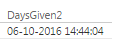
hello @Phil_Seamark,


It returns the date. 

days.png


@ PK

Helpful resources

Announcements
Power BI DataViz World Championships

Power BI Dataviz World Championships

The Power BI Data Visualization World Championships is back! Get ahead of the game and start preparing now!

December 2025 Power BI Update Carousel

Power BI Monthly Update - December 2025

Check out the December 2025 Power BI Holiday Recap!

FabCon Atlanta 2026 carousel

FabCon Atlanta 2026

Join us at FabCon Atlanta, March 16-20, for the ultimate Fabric, Power BI, AI and SQL community-led event. Save $200 with code FABCOMM.