Join us at FabCon Atlanta from March 16 - 20, 2026, for the ultimate Fabric, Power BI, AI and SQL community-led event. Save $200 with code FABCOMM.
Register now!The Power BI Data Visualization World Championships is back! Get ahead of the game and start preparing now! Learn more
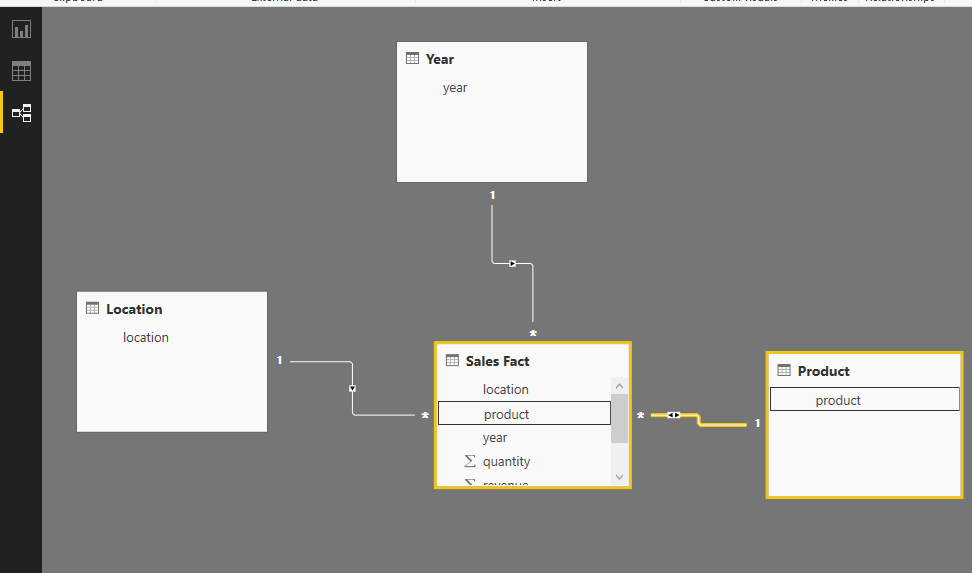
I have 4 different tables: Location, Product, Year and Sales Fact.
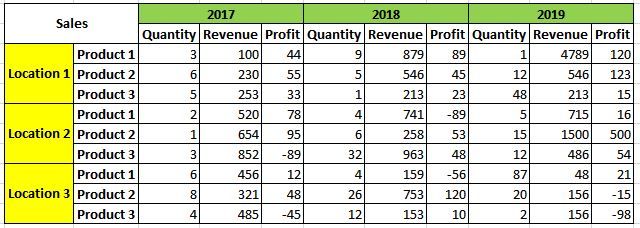
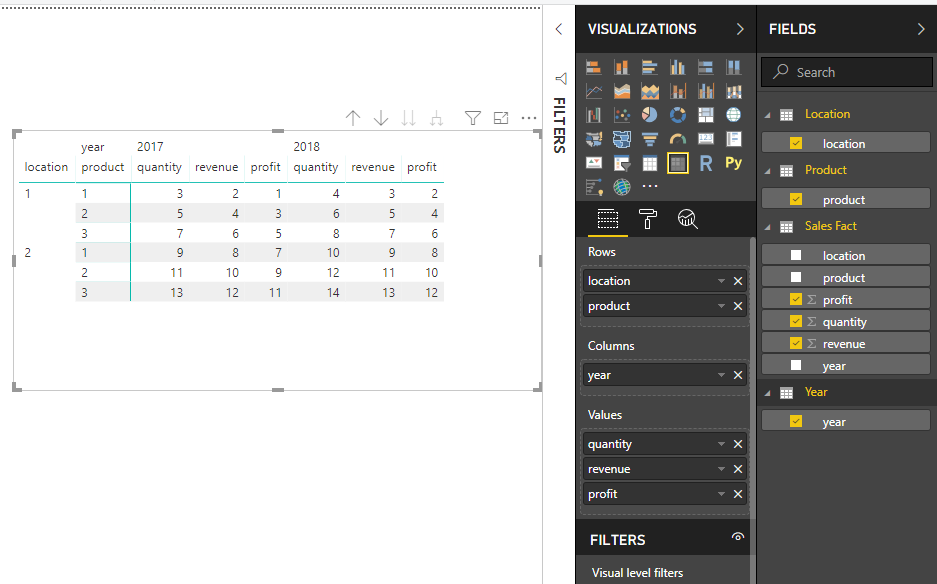
I need to create a nested Matrix as below:
I am able to create Column Level Nesting.
But I am not able to create Row Level Nesting between Location and Product.
Need help in achieving this.
Hi @Anonymous
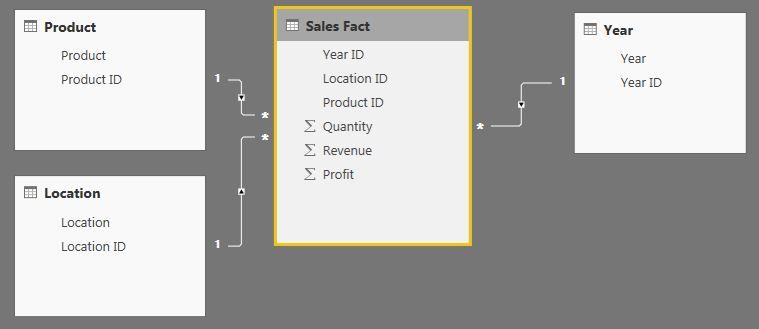
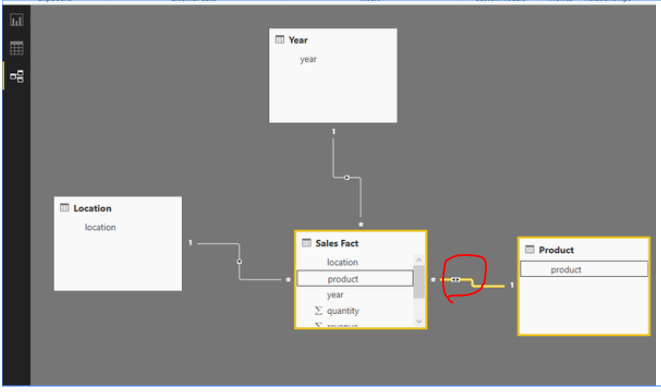
If you have four tables as mine and create relationships as below
Then you could add columns in matrix visual and get the expected output.
Please find more details in my pbix file.
Best Regards
Maggie
Community Support Team _ Maggie Li
If this post helps, then please consider Accept it as the solution to help the other members find it more quickly.
Is there any particular property that needs to be set?
I already had joins inplace, but I am not getting the desired output.
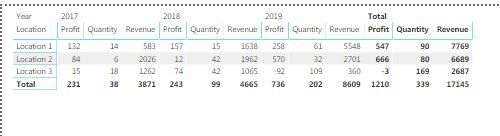
Above is the output that I am getting.
Thanks,
Ravin
Hi @Anonymous
The cross filter direction between "Product" and "Sales fact" should be "both" instead of "single".
Best Regards
Maggie
Community Support Team _ Maggie Li
If this post helps, then please consider Accept it as the solution to help the other members find it more quickly.
Hi @v-juanli-msft ,
I change the cross filter from Single to Both.
But still I am not able to achieve the required nesting.
Is there any other property I need to change or set?
Thanks,
Ravin
Hi @Anonymous
I don't know why it doesn't work on your side.
Could you create a simple test pbix file and share with me?
Best Regards
Maggie
Check out the November 2025 Power BI update to learn about new features.
Advance your Data & AI career with 50 days of live learning, contests, hands-on challenges, study groups & certifications and more!