Hello,
I have the following information: Employee Id, Salary, salary rank:
| Emp.Id | Salary | Salary rank |
| 100 | 1000 | 50% |
| 101 | 1200 | 74% |
| 102 | 1300 | 80% |
| 103 | 1350 | 82% |
| 104 | 1500 | 91% |
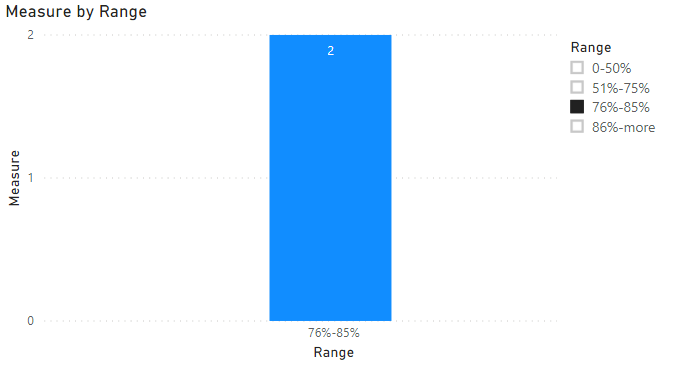
I would like to present employees information for several ranges of salary ranks:
0-50%
510-75%
75-85%
85% and more
1. To present on visualization chart:
Axis x - ranges of salary ranks
Axis y - number of emplyees
2. Each time I press on shart (e.g. on range 75-85%), I will see data in visualization table for only these employess.
In case of 75-85% I will get data only for 2 employess:
| Emp.Id | Salary | Salary rank |
| 102 | 1300 | 80% |
| 103 | 1350 | 82% |
I created a range table with MIN and MAX + some measures.
The main one is:
Count Rating =
IF(NOT(ISBLANK('Rating'[Rating_Salary])),
CALCULATE(
COUNT('compare to survey'[EmpId),
FILTER('compare to survey', 'compare to survey'[rate]
< 'Rating'[MaxThreshold_rating]), FILTER('compare to survey', 'compare to survey'[rate] >= 'Rating'[MaxThreshold_rating])))
However, I receive information for all employess as following:
| Emp.Id | Salary | Count Rating |
| 100 | 1000 | |
| 101 | 1200 | |
| 102 | 1300 | 1 |
| 103 | 1350 | 1 |
| 104 | 1500 | |
How can I fix it?