We've captured the moments from FabCon & SQLCon that everyone is talking about, and we are bringing them to the community, live and on-demand. Starts on April 14th. Register now
Just started with BI and it seems like you need to be a programmer to actually use this which is annoying. I need help filtering data on a chart I am creating. I'm using a stacked column chart.
I work at a steel distributor and I am trying to put together a chart that shows for each day which customer orders what material and how much we booked. I have it mostly done. The problem I am running into is that no matter how I filter the chart shows every single customer we have for every day. I want to make it so it only shows the customers that have activity for the specified day. If there a way I can tell it to only show the customer if the total value does not equal 0?
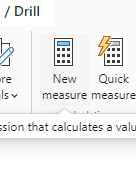
I'm sorry, very new to this, what do you mean by measure and where would I write it?
Calendario : this is the table name
Día : this is the column name .
Hello @n25philly
write a measure as follow :
if( sum( table_name[col_name]) = 0 , blank() , sum( table_name[col_name]) )
drag this measure to the visual you are using.
let me know if this works for you.
if not, please share a visual representation of your problem . this would be helpful to understand your specific issue.
If my response has successfully addressed your issue kindly consider marking it as the accepted solution! This will help others find it quickly. I would appreciate hitting that kudos button 👍🤠
If you have recently started exploring Fabric, we'd love to hear how it's going. Your feedback can help with product improvements.
A new Power BI DataViz World Championship is coming this June! Don't miss out on submitting your entry.
Share feedback directly with Fabric product managers, participate in targeted research studies and influence the Fabric roadmap.
| User | Count |
|---|---|
| 57 | |
| 38 | |
| 32 | |
| 18 | |
| 16 |
| User | Count |
|---|---|
| 66 | |
| 66 | |
| 40 | |
| 34 | |
| 25 |