
Join us at FabCon Atlanta from March 16 - 20, 2026, for the ultimate Fabric, Power BI, AI and SQL community-led event. Save $200 with code FABCOMM.
Register now!The Power BI Data Visualization World Championships is back! Get ahead of the game and start preparing now! Learn more
Solved! Go to Solution.
hi, @jimmyswoosh
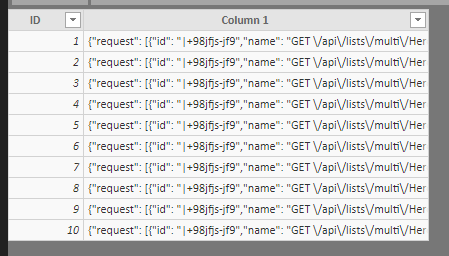
After my test, you may try this way as below:
Step1:
Select column 1 then click Add column->From text->Parse->Json
Step2:
Expand JSON.request
Step3:
Expand other columns
If there are list in the column, Expand to New Rows, then Expand column.
Best Regards,
Lin
hi, @jimmyswoosh
After my test, you may try this way as below:
Step1:
Select column 1 then click Add column->From text->Parse->Json
Step2:
Expand JSON.request
Step3:
Expand other columns
If there are list in the column, Expand to New Rows, then Expand column.
Best Regards,
Lin
That did the trick, thanks!
-James
The Power BI Data Visualization World Championships is back! Get ahead of the game and start preparing now!
| User | Count |
|---|---|
| 39 | |
| 35 | |
| 33 | |
| 32 | |
| 27 |
| User | Count |
|---|---|
| 136 | |
| 96 | |
| 77 | |
| 67 | |
| 65 |