HI, @Yindiao
After my research, it does not support that add customized Rows or columns in the matrix for now.
But you can get the same effect by this way:
Add a measure for every column like these
Current Net Profilt = CALCULATE(SUM(Table1[Current]),Table1[Main Group]="1000")-CALCULATE(SUM(Table1[Current]),Table1[Main Group]="1900")-CALCULATE(SUM(Table1[Current]),Table1[Main Group]="2000")
6M Net Profilt = CALCULATE(SUM(Table1[6M]),Table1[Main Group]="1000")-CALCULATE(SUM(Table1[6M]),Table1[Main Group]="1900")-CALCULATE(SUM(Table1[6M]),Table1[Main Group]="2000")
then disable the Row subtotals and drag them into Card visual or other visual like this
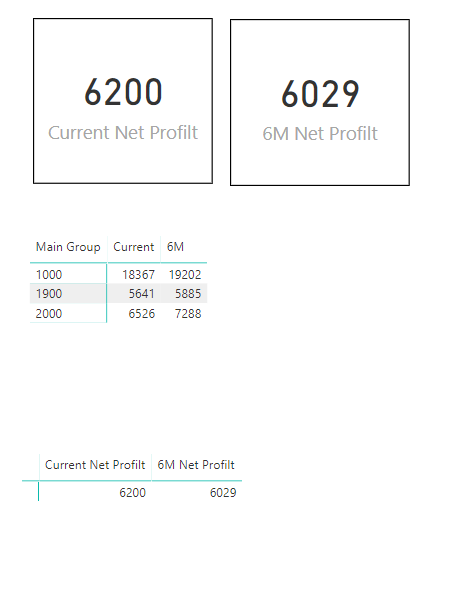
They can also influence each other.
Best Regards,
Lin
Community Support Team _ Lin
If this post helps, then please consider Accept it as the solution to help the other members find it more quickly.


