Get certified for free when you join Fabric Data Days 2026 and dive into Fabric, Power BI, SQL, AI, and other essential data skills.
Join nowJuly 7 - July 17 | Round 2 of the Power BI Dataviz World Championships. Don't miss your chance! Learn more
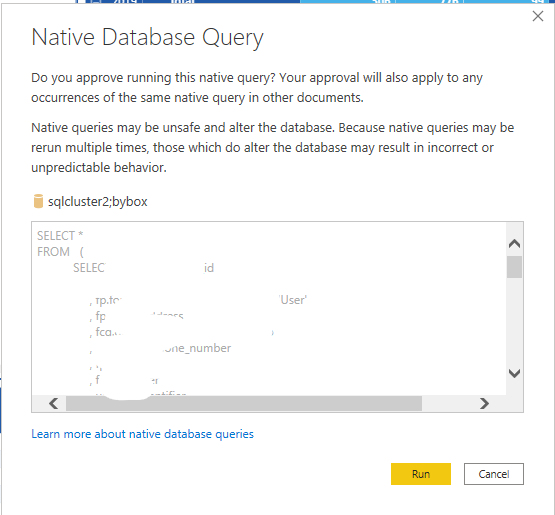
I have noticed in the latest version of Power BI May 2020 that now when I go to refresh a Power BI file in desktop I get prompted for every query that I have. If I have 50 queries I have to press Run 50 times. Anyway I can enter these just once for all the queries?
Once I have hit Run it seems to Refresh without this prompt after.
In File/Options and Settings, under Global click on Security and uncheck the top box.
If this works for you, please mark it as solution. Kudos are appreciated too. Please let me know if not.
Regards,
Pat
To learn more about Power BI, follow me on Twitter or subscribe on YouTube.
Join us in Barcelona for FabCon and SQLCon, the Fabric, Power BI, SQL, and AI community event. Save €200 with code FABCMTY200.
Join Data Days 2026: 60 days of free live/on-demand sessions, challenges, study groups, and certification opportunities.
| User | Count |
|---|---|
| 27 | |
| 24 | |
| 18 | |
| 15 | |
| 15 |
| User | Count |
|---|---|
| 63 | |
| 42 | |
| 41 | |
| 38 | |
| 37 |