Don't miss your chance to take the Fabric Data Engineer (DP-700) exam on us!
Learn moreWe've captured the moments from FabCon & SQLCon that everyone is talking about, and we are bringing them to the community, live and on-demand. Starts on April 14th. Register now
Dear all
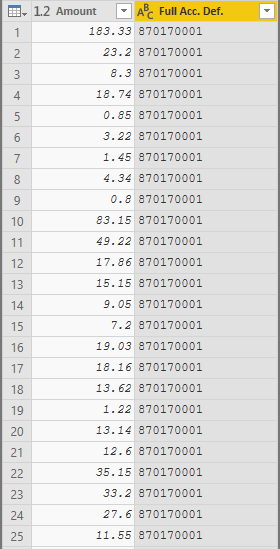
I have two tables. First table contains account numbers and amount columns.
The second table also contains account numbers and division percentages.
I need to connect these tables via account number. Then I need to divide amount in the first table by multplying with A1, A2 and A3 in the second table.
More exactly, if A1, A2, A3 is 25%, 15% and 59% for the first account number respectively, I need to multiply these indicators with my amount column and get 3 different columns which total sum would be 183.33.
I have created measure in the first table. The result also shown below. Everyting is seen ok, except the total values. I cannot solve the problem related to the sum.
Despite my second table consists from unique account numbers connection between the first and the second tables gives me many to may result. How can I fix this problem?
Is my first question (total value problem) related to this connection type?
.
Solved! Go to Solution.
How I have solved the problem:
First I have unpivoted the second table with percentages. Then muptiply with the previous table.
Hi @OSS,
Could you please mark the proper answers as solutions?
Best Regards,
How I have solved the problem:
First I have unpivoted the second table with percentages. Then muptiply with the previous table.
This looks like a measure totals problem. Very common. See my post about it here: https://community.powerbi.com/t5/DAX-Commands-and-Tips/Dealing-with-Measure-Totals/td-p/63376
Also, this Quick Measure, Measure Totals, The Final Word should get you what you need:
https://community.powerbi.com/t5/Quick-Measures-Gallery/Measure-Totals-The-Final-Word/m-p/547907
If you have recently started exploring Fabric, we'd love to hear how it's going. Your feedback can help with product improvements.
A new Power BI DataViz World Championship is coming this June! Don't miss out on submitting your entry.
Share feedback directly with Fabric product managers, participate in targeted research studies and influence the Fabric roadmap.
| User | Count |
|---|---|
| 51 | |
| 37 | |
| 35 | |
| 19 | |
| 17 |
| User | Count |
|---|---|
| 72 | |
| 70 | |
| 39 | |
| 34 | |
| 23 |