Join us at FabCon Atlanta from March 16 - 20, 2026, for the ultimate Fabric, Power BI, AI and SQL community-led event. Save $200 with code FABCOMM.
Register now!The Power BI Data Visualization World Championships is back! Get ahead of the game and start preparing now! Learn more
Hello,
I am trying to create a visualization based on the following E.G. table:
Is there anyway to have all this information all in one visual ? Something along the line of a calendar or gant chart.
I have already created a generic date table but encountered active relationship issues. Additionally, I also tried using the USERELATIONSHIP but to no success.
Thank you for your time,
Teodor
Solved! Go to Solution.
Hi @Teodor_TRU
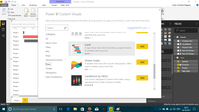
1. There is a visual similar to Gantt Chart....
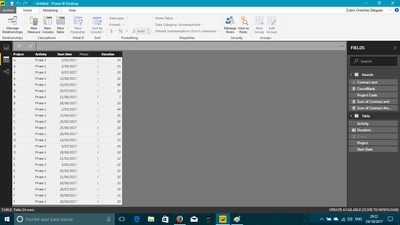
2. For using this chart, you need to shape your table like this...
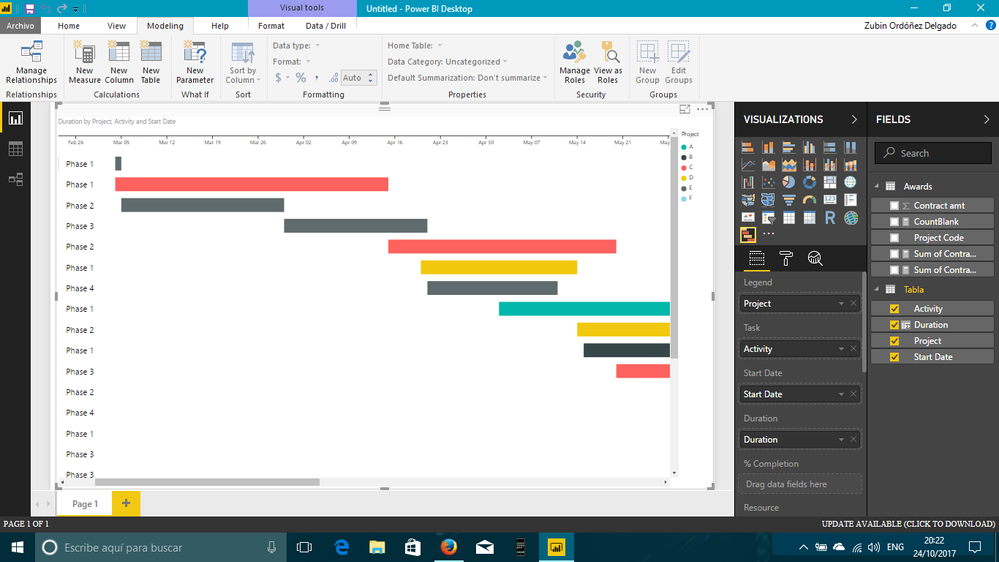
3. Then, the final result is...
I hope this helps
Regards
BILASolution
Hi @Teodor_TRU
1. There is a visual similar to Gantt Chart....
2. For using this chart, you need to shape your table like this...
3. Then, the final result is...
I hope this helps
Regards
BILASolution
The Power BI Data Visualization World Championships is back! Get ahead of the game and start preparing now!
Check out the November 2025 Power BI update to learn about new features.
| User | Count |
|---|---|
| 65 | |
| 44 | |
| 40 | |
| 29 | |
| 19 |
| User | Count |
|---|---|
| 201 | |
| 126 | |
| 103 | |
| 72 | |
| 54 |