Share feedback directly with Fabric product managers, participate in targeted research studies and influence the Fabric roadmap.
Sign up nowGet Fabric certified for FREE! Don't miss your chance! Learn more
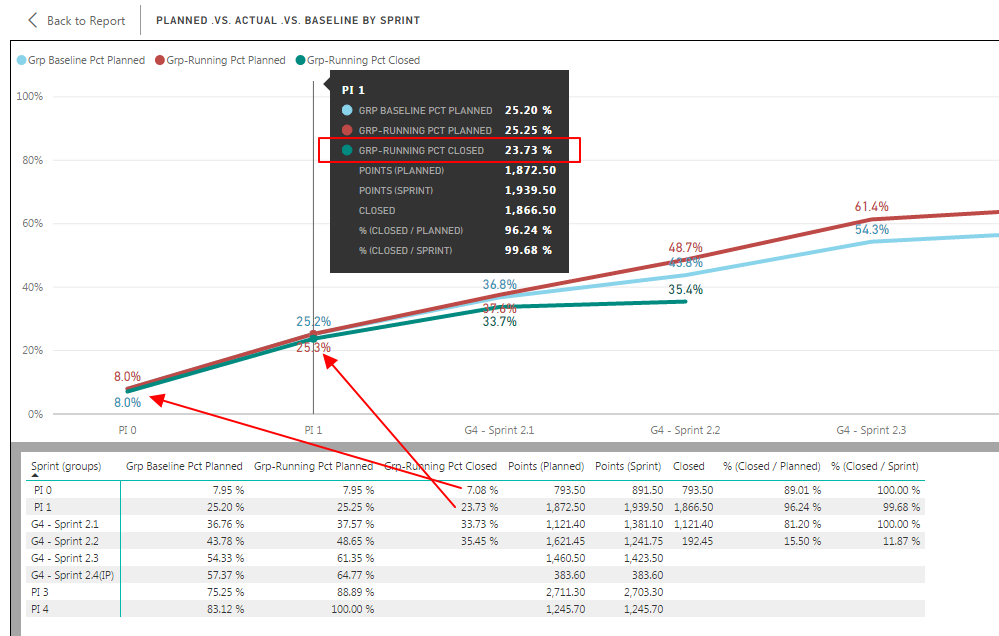
I have a multi line chart displaying 3 series. 2 of the 3 series are diaplaying labels for all data points.
The x-axis is a categorical value - thereby eliminating the label density option.
Any suggestions on how to force the display of the missing data value labels would be greatly appreciated.
Thanks in advance.
Ross
Hi @Anonymous,
Perhaps you can try to modify 'label density' option to change the items density.
Regards,
Xiaoxin Sheng
@Anonymous, thank you for your reply.
Label density was my first presumption.
The problem with that is my x-axis is categorical (not continuous). Thus, label density is not an available setting to adjust.
Per your offline inquiry, all points are present in the data set.
HI @Anonymous,
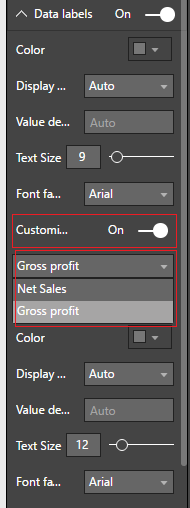
For your scenario, you can try to turn on the customize series to modify the specific categories style to let the highlight the line.
If above also not help, I think you should submit an idea about improve the 'label density' feature.
Regards,
Xiaoxin Sheng
@Anonymous
I have already tweaked with every available setting within the data labels. Is there a particular setting you are suggesting might impact the missing label values?
I will most likely make the suggestion to improvel label density behavior anyway.
Thanks,
Ross
Share feedback directly with Fabric product managers, participate in targeted research studies and influence the Fabric roadmap.
| User | Count |
|---|---|
| 62 | |
| 62 | |
| 42 | |
| 21 | |
| 18 |
| User | Count |
|---|---|
| 120 | |
| 105 | |
| 38 | |
| 29 | |
| 28 |