This time we’re going bigger than ever. Fabric, Power BI, SQL, AI and more. We're covering it all. You won't want to miss it.
Learn moreDid you hear? There's a new SQL AI Developer certification (DP-800). Start preparing now and be one of the first to get certified. Register now
I have create one report( Purchase Monthwise..
But the months are not sorting...
and it lokks like as per the image.
Can any one help me to overcome this:)..
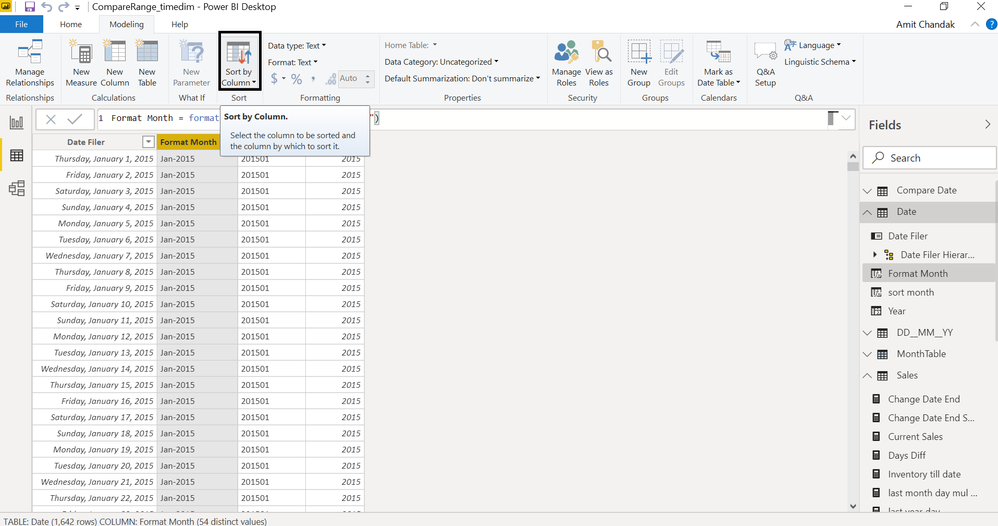
For the month and month year sorting; create sort column and mark them sort column
month year = format(date[date],"MMM-YYYY")
month year sort = format(date[date],"YYYYMM")
month= format(date[date],"MMMM")
month sort = format(date[date],"MM")
Appreciate your Kudos. In case, this is the solution you are looking for, mark it as the Solution. In case it does not help, please provide additional information and mark me with @
Thanks. My Recent Blog -
Winner-Topper-on-Map-How-to-Color-States-on-a-Map-with-Winners , HR-Analytics-Active-Employee-Hire-and-Termination-trend
Power-BI-Working-with-Non-Standard-Time-Periods And Comparing-Data-Across-Date-Ranges
Connect on Linkedin
This is how I had to fix my visual with a similar issue. It wouldn't let me sort using my Date values for whatever reason so I wrote this and sorted that by my Date columns
Your visualisation looks like it's sorted by Purchase Amount descending.
Click the ellipsis (...) in the top right hand corner of the chart and select Sort by>>Month.
When you do this, you may find that your months are sorted alphabetically rather than chronologically.
If so, you need to add a 'Month Sort' column to your model as detailed here: docs.microsoft.com/en-gb/archive/blogs/samlester/sorting-by-month-names-in-power-bi
Best regards,
Martyn
If I answered your question, please help others by accepting it as a solution.
Hi,
select the visualization and click the three points in the upper right corner. Choose how to sort.
Regards Frank AT
Check out the April 2026 Power BI update to learn about new features.
Sign up to receive a private message when registration opens and key events begin.
If you have recently started exploring Fabric, we'd love to hear how it's going. Your feedback can help with product improvements.
| User | Count |
|---|---|
| 34 | |
| 31 | |
| 25 | |
| 20 | |
| 16 |
| User | Count |
|---|---|
| 61 | |
| 49 | |
| 28 | |
| 23 | |
| 23 |