
Join us at FabCon Atlanta from March 16 - 20, 2026, for the ultimate Fabric, Power BI, AI and SQL community-led event. Save $200 with code FABCOMM.
Register now!Get Fabric Certified for FREE during Fabric Data Days. Don't miss your chance! Request now
Hi all,
I am trying to visualize the responses to a survey. I have several questions which have multiple options for the respondents to chose from.
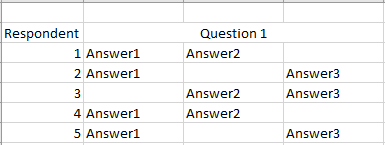
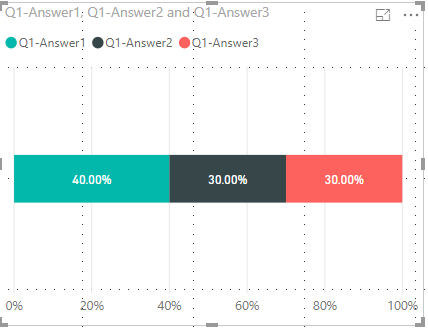
For example Respondent one will answer question one by providing a response where you see answer1, answer2 and answer3. I would like to end up with a visualization like this.
I am fairly new to Power BI and dax measures are currently beyond me. Can anyone reccomend how to do this? or how I can learn how to do this?
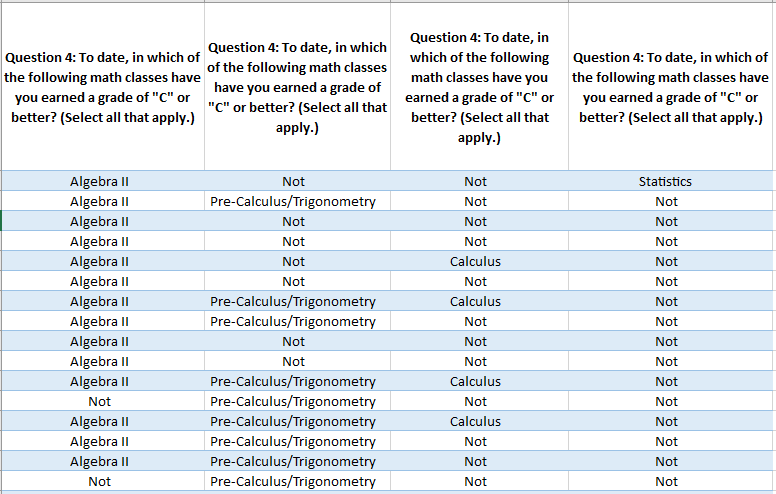
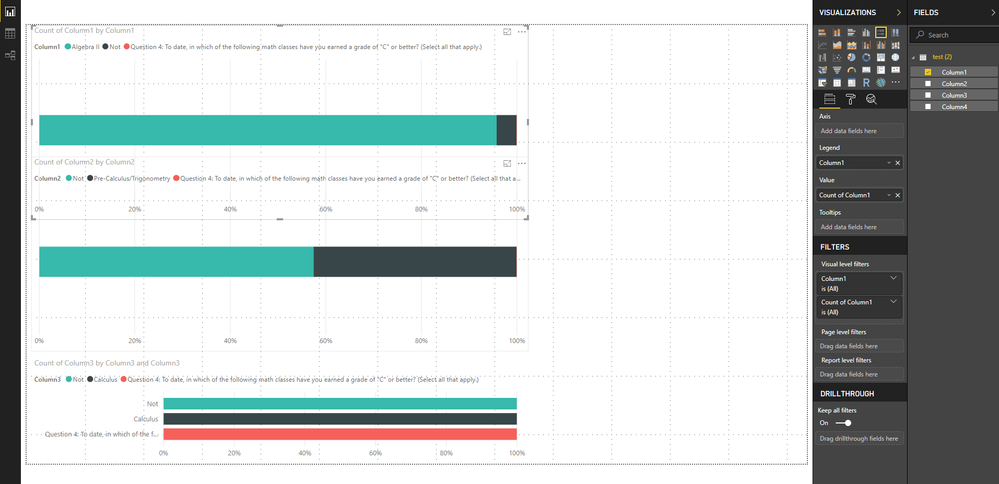
This is where im out with my data source on top and where im at with the visualization on the bottom.
@Anonymous ,
Check if Unpivot Columns in Query Editor helps.
https://community.powerbi.com/t5/Desktop/matrix-to-table-help/td-p/329415
It seems like it does make things diffirent but I don't know enough for that to help me.
Hey,
I think you will have to re-structure the table.
You cannot have a 'Master' column like Question1 and under it more columns like Answer1, Answer2...AnswerN
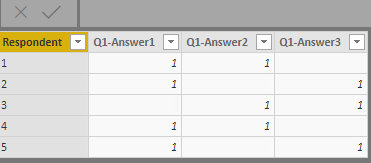
This is what I did with the data model, then used stacked bar chart
Check out the November 2025 Power BI update to learn about new features.
Advance your Data & AI career with 50 days of live learning, contests, hands-on challenges, study groups & certifications and more!