
Join us at FabCon Atlanta from March 16 - 20, 2026, for the ultimate Fabric, Power BI, AI and SQL community-led event. Save $200 with code FABCOMM.
Register now!The Power BI Data Visualization World Championships is back! Get ahead of the game and start preparing now! Learn more
Hi all,
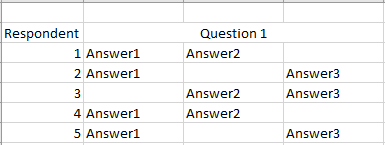
I am trying to visualize the responses to a survey. I have several questions which have multiple options for the respondents to chose from.
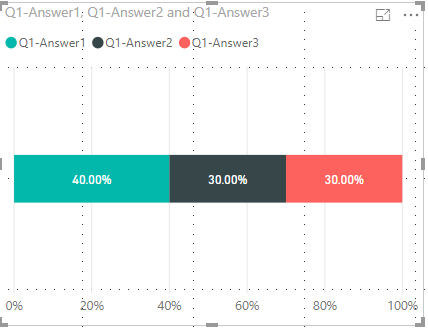
For example Respondent one will answer question one by providing a response where you see answer1, answer2 and answer3. I would like to end up with a visualization like this.
I am fairly new to Power BI and dax measures are currently beyond me. Can anyone reccomend how to do this? or how I can learn how to do this?
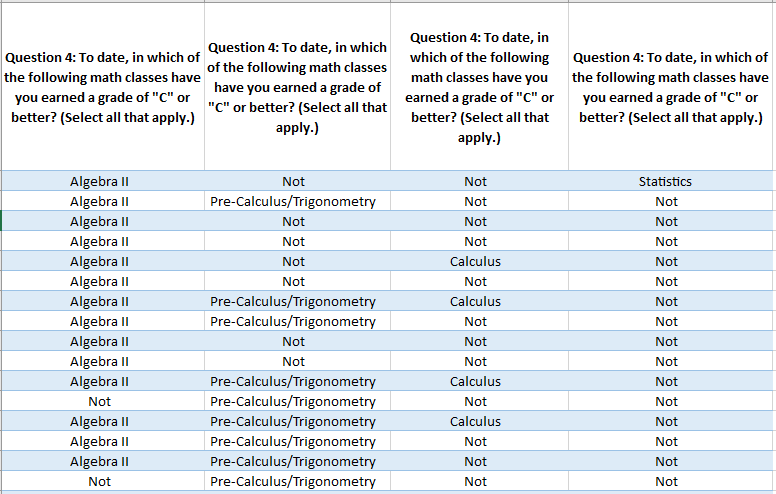
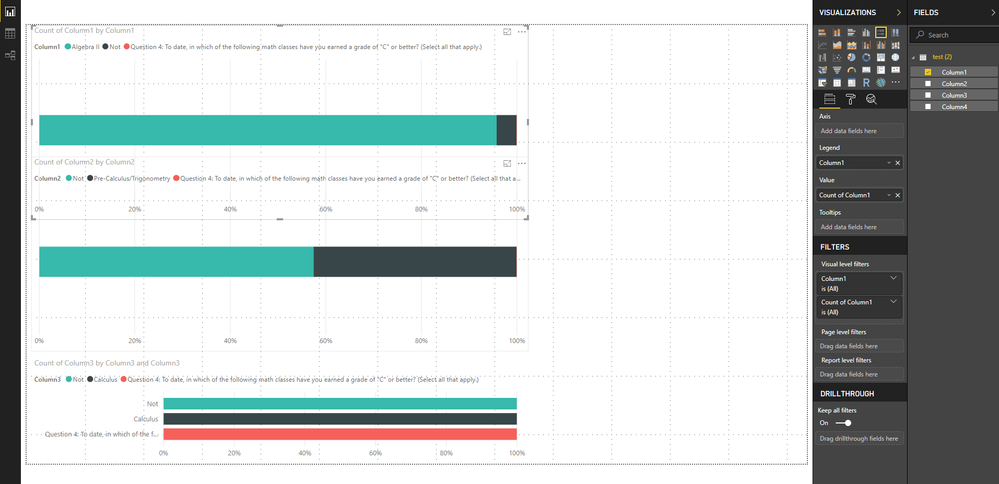
This is where im out with my data source on top and where im at with the visualization on the bottom.
@Anonymous ,
Check if Unpivot Columns in Query Editor helps.
https://community.powerbi.com/t5/Desktop/matrix-to-table-help/td-p/329415
It seems like it does make things diffirent but I don't know enough for that to help me.
Hey,
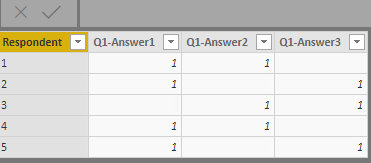
I think you will have to re-structure the table.
You cannot have a 'Master' column like Question1 and under it more columns like Answer1, Answer2...AnswerN
This is what I did with the data model, then used stacked bar chart
The Power BI Data Visualization World Championships is back! Get ahead of the game and start preparing now!
Check out the November 2025 Power BI update to learn about new features.
| User | Count |
|---|---|
| 59 | |
| 46 | |
| 42 | |
| 23 | |
| 18 |
| User | Count |
|---|---|
| 193 | |
| 124 | |
| 101 | |
| 67 | |
| 49 |