Get certified for free when you join Fabric Data Days 2026 and dive into Fabric, Power BI, SQL, AI, and other essential data skills.
Join nowJuly 7 - July 17 | Round 2 of the Power BI Dataviz World Championships. Don't miss your chance! Learn more
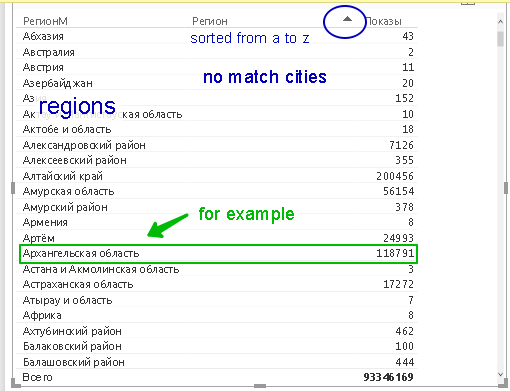
Hello! First, sorry for my English) I wil use pictures. I have a data by cities and regions, but they are together:Main table
I want to see the cities data added into the corresponding region rows. For example, like the Trenton inside the New Jersey,
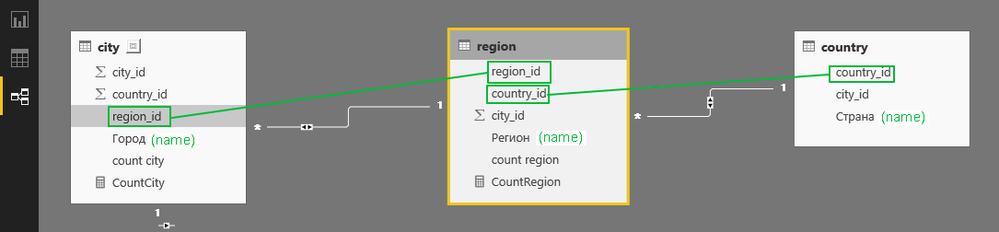
I founded three tables with cities, regions and countries:
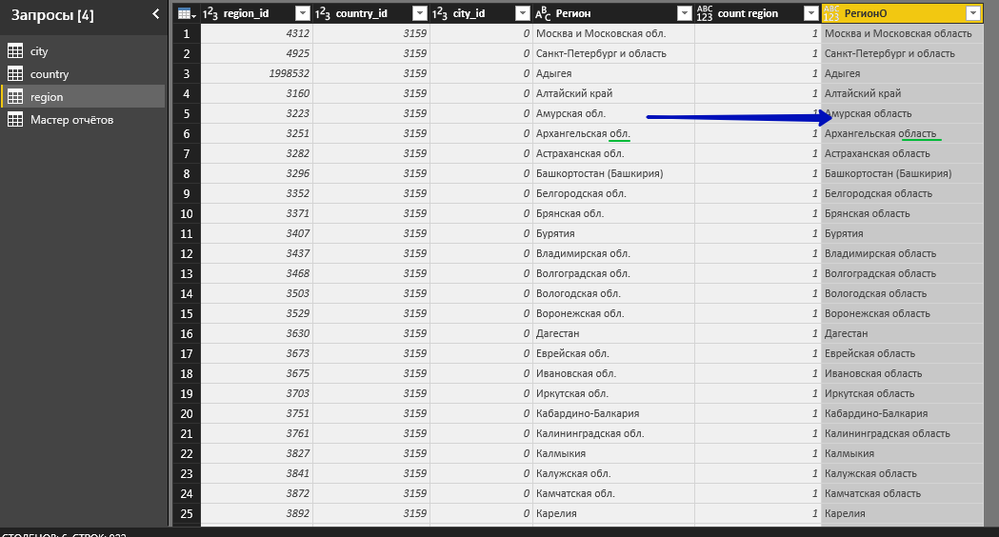
Also I have made some transform:
replace the short "обл." by full "область"
It gives me a chance to satisfy my need.
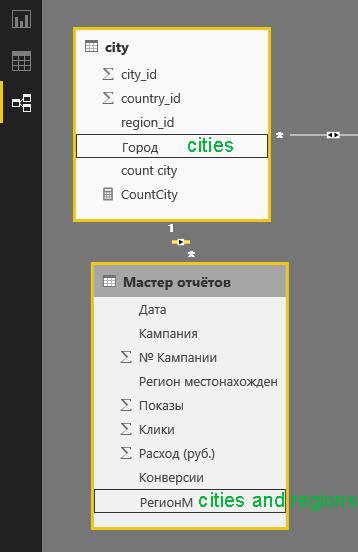
Next I connected the main table to city table:
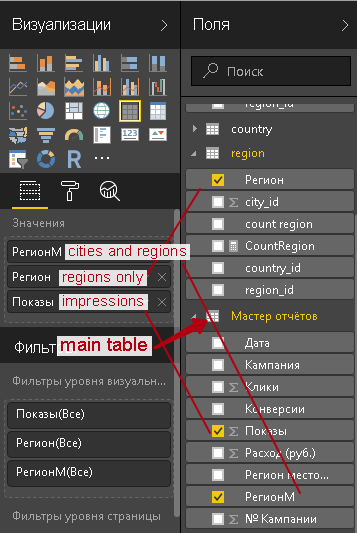
Then I try to configure my table view:
As a result:
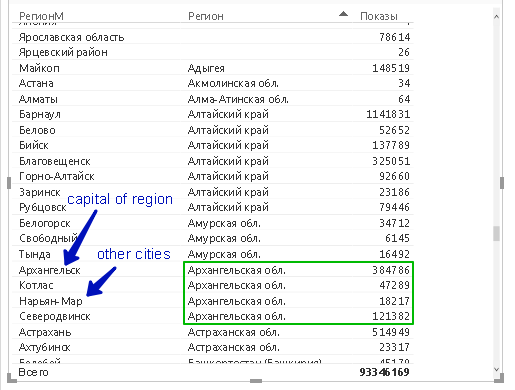
And if I scroll:
How can I see the "Архангельская обл." (I already fixed it) "Архангельская область" data in one row with sum=118791+384786+47289+18217+121382 ?
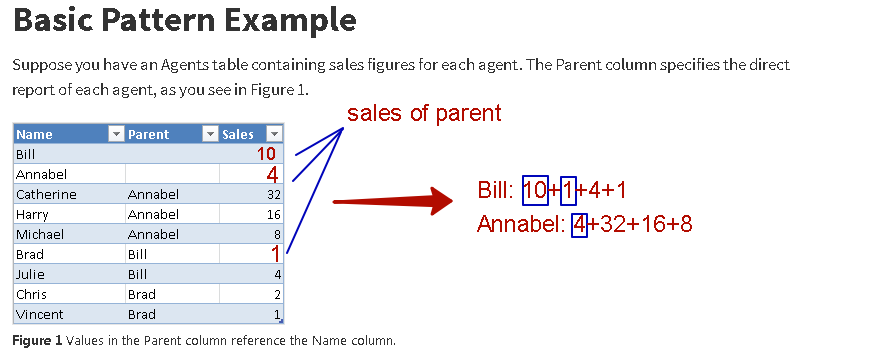
In this scenario, you have fact data on both region level and city level. You need to build a "parent-child hierarchy" for REGION-CITY so that you can aggregate region itself and its child level together. Please refer to blog below:
Regards,
Thanks for the answer. I read it fluently and I have a question. Analogy with parents is good. If we speak in terms of sales, in my situation children and their parents sell both. And i have the situation:
(Oops! At the screen I should write Bill: 10+1+4+2+1)
Will I reach this goal using parent-child hierarchies?
If yes, I'll study this in more detail.
Yes, you are correct. The aggregation for parent level will include themselves. If the parent level has fact data, it will appear along with child members as well. Like the last image in that link:
You should build the Parent-Child hierarchy for your scenario.
Regards,
Join us in Barcelona for FabCon and SQLCon, the Fabric, Power BI, SQL, and AI community event. Save €200 with code FABCMTY200.
Join Fabric Data Days 2026: 60 days of free live/on-demand sessions, challenges, study groups, and certification opportunities.
| User | Count |
|---|---|
| 27 | |
| 24 | |
| 18 | |
| 14 | |
| 14 |
| User | Count |
|---|---|
| 65 | |
| 41 | |
| 40 | |
| 39 | |
| 39 |