Join us at FabCon Atlanta from March 16 - 20, 2026, for the ultimate Fabric, Power BI, AI and SQL community-led event. Save $200 with code FABCOMM.
Register now!The Power BI Data Visualization World Championships is back! Get ahead of the game and start preparing now! Learn more
Greetings,
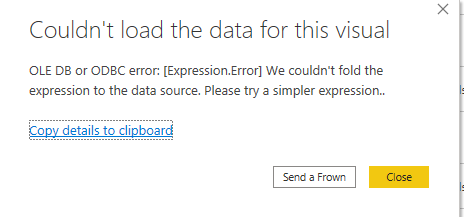
I have imported data through direct query and i want to apply count measure on customers name. But it is now showing the results. Can any one help?
Hi, @Anonymous
According to the error message, the error occurred in your expression, which is related to the native query and query folding, please check your expression and retry.
https://www.mssqltips.com/sqlservertip/4563/power-bi-native-query-and-query-folding/
Hope this helps.
Best Regards,
Community Support Team _ Zeon Zheng
If this post helps, then please consider Accept it as the solution to help the other members find it more quickly.
@Anonymous Not sure at which stage you are geting the error. you may find solution in below post
if you still face the problem, please share some sample data and screenshot of the table relationship/fields
Proud to be a Super User!
The Power BI Data Visualization World Championships is back! Get ahead of the game and start preparing now!
| User | Count |
|---|---|
| 40 | |
| 36 | |
| 33 | |
| 29 | |
| 26 |
| User | Count |
|---|---|
| 135 | |
| 103 | |
| 65 | |
| 61 | |
| 55 |