Don't miss your chance to take the Fabric Data Engineer (DP-600) exam for FREE! Find out how by attending the DP-600 session on April 23rd (pacific time), live or on-demand.
Learn moreJoin the FabCon + SQLCon recap series. Up next: Power BI, Real-Time Intelligence, IQ and AI, and Data Factory take center stage. All sessions are available on-demand after the live show. Register now
Hi guys!
I'm creating a Matriz and I notice that the rows, with the same name, are grouped somehow. For example:
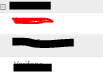
In the Matrix, for an specific country, it lists the respective clients like this:
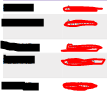
I need for the client resalted in red to be showed repeadtly (it should appear five times), as this is the way the information is been stored. For example if a change the matrix for a table it shows the information like this:
As you can see, in the matrix form it summarize all the "red" clients into a single row. I already dig for a solution to this that says to turn off the wrap option and to change the value type to text but still don't work.
Thanks in advance for your help.
Hi @dev85 ,
you just need to add an index column in Power Query and then the names are not aggregated anymore.
If this post helps, then please consider Accept it as the solution to help the other members find it more quickly.
Hi @mangaus1111
I tried this and it didn't worked. I have already many values that should work as an "index" in the matrix and still it aggregates the names when I drill down the name of the clients.
Check out the April 2026 Power BI update to learn about new features.
If you have recently started exploring Fabric, we'd love to hear how it's going. Your feedback can help with product improvements.
A new Power BI DataViz World Championship is coming this June! Don't miss out on submitting your entry.
| User | Count |
|---|---|
| 48 | |
| 46 | |
| 41 | |
| 20 | |
| 17 |
| User | Count |
|---|---|
| 70 | |
| 69 | |
| 32 | |
| 27 | |
| 26 |