cancel
Showing results for 
Search instead for 
Did you mean: 

The Power BI Data Visualization World Championships is back! It's time to submit your entry. Live now!

Reply
dev85
Frequent Visitor

Matrix rows are grouping

Hi guys!


I'm creating a Matriz and I notice that the rows, with the same name, are grouped somehow. For example:

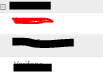
In the Matrix, for an specific country, it lists the respective clients like this:

dev85_0-1667506659765.png

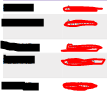
I need for the client resalted in red to be showed repeadtly (it should appear five times), as this is the way the information is been stored. For example if a change the matrix for a table it shows the information like this:

dev85_1-1667506927800.png

As you can see, in the matrix form it summarize all the "red" clients into a single row. I already dig for a solution to this that says to turn off the wrap option and to change the value type to text but still don't work. 


Thanks in advance for your help.


2 REPLIES 2
mangaus1111
Solution Sage
Solution Sage

Hi @dev85 ,

you just need to add an index column in Power Query and then the names are not aggregated anymore.


mangaus1111_0-1667512691132.png

If this post helps, then please consider Accept it as the solution to help the other members find it more quickly.


Hi @mangaus1111 


I tried this and it didn't worked. I have already many values that should work as an "index" in the matrix and still it aggregates the names when I drill down the name of the clients. 

Helpful resources

Announcements
FabCon Atlanta 2026 carousel

FabCon Atlanta 2026

Join us at FabCon Atlanta, March 16-20, for the ultimate Fabric, Power BI, AI and SQL community-led event. Save $200 with code FABCOMM.