cancel
Showing results for 
Search instead for 
Did you mean: 

The Power BI Data Visualization World Championships is back! It's time to submit your entry. Live now!

Reply
Steven_
New Member

Matrix Visual

Hey,


my problem is the matrix visual and i read many articles but i got no solution.


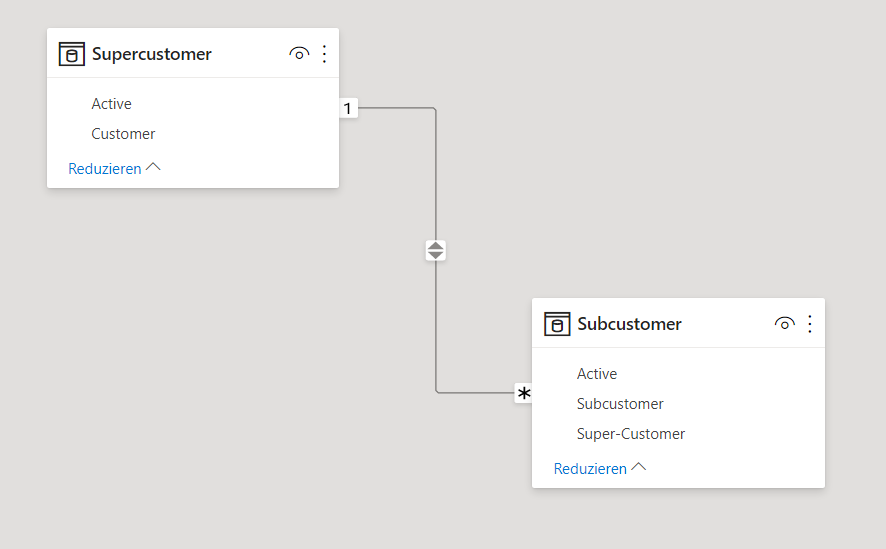
My situation is the dependency as shown in the picture with supercustomer and subcustomer.


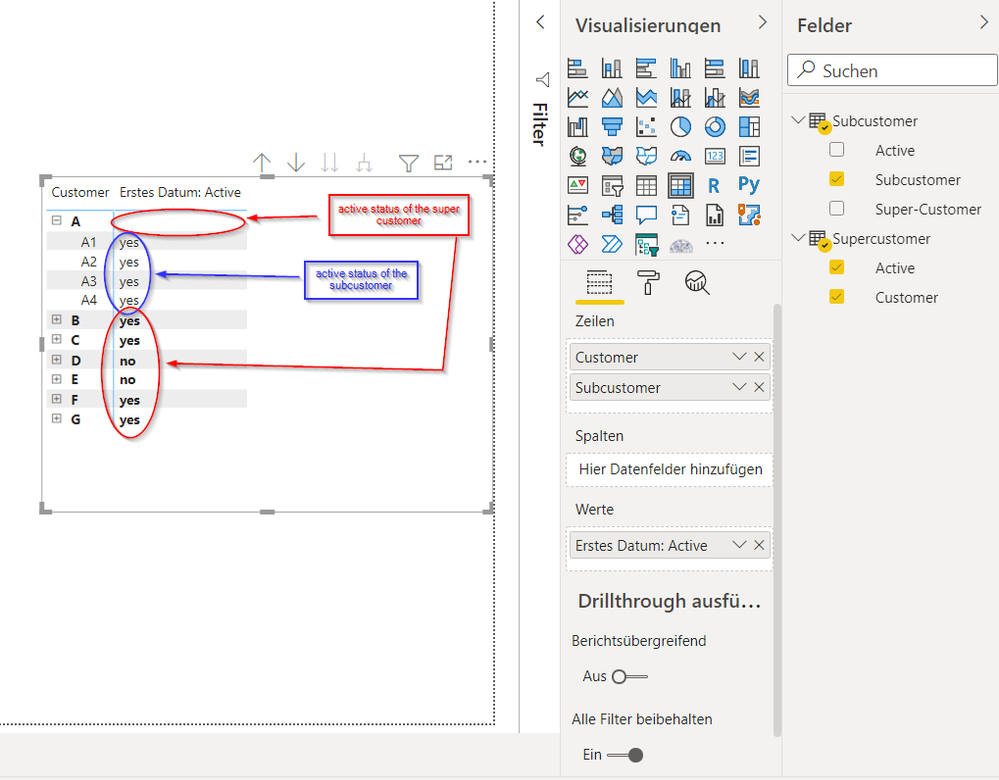
I want to show this data as shown in the picture "visualizuation" but i don't have a clue how to put the data in the format so that:

- in the red circles (red annotation) the "active status" of the super-customer is shown and

- in the blue circle (blue annotation) the "active status" of the subcustomer is shown.


Is this even possible with the matrix visual or do i nee anything else?


Thanks!

dependenciesdependenciesvisualizationvisualization

3 REPLIES 3
Steven_
New Member

Hey @amitchandak,


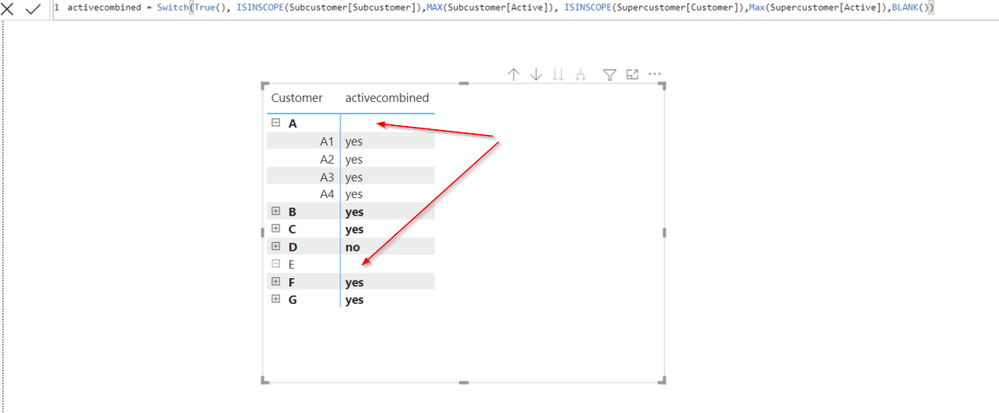
this measure worked quite good, but i don't understand why the "active status" of the Supercustomer isn't shown when i expand the Matrix like below.


Do you know a solution for that or is something wrong with my measure?


Thanks!

inscope.png

Hi @Steven_ ,


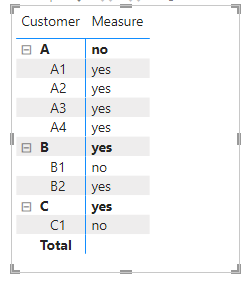
I could get correct value using amitchandak 's code. Could you please share your pbix file?


vkkfmsft_0-1661494757474.png


Best Regards,
Winniz

amitchandak
Super User
Super User

@Steven_ , Create a measure like


Switch( True() ,

isinscope(SubCustomer[SubCustomer]) , Max(SubCustomer[Active]) ,

isinscope(SuperCustomer[Customer]) , Max(SuperCustomer[Active]) ,

blank()

)


IsInScope - Switch measure at different levels: https://youtu.be/kh0gezKICEM

Share with Power BI Enthusiasts: Full Power BI Video (20 Hours) YouTube
Microsoft Fabric Series 60+ Videos YouTube
Microsoft Fabric Hindi End to End YouTube

Helpful resources

Announcements
December 2025 Power BI Update Carousel

Power BI Monthly Update - December 2025

Check out the December 2025 Power BI Holiday Recap!

FabCon Atlanta 2026 carousel

FabCon Atlanta 2026

Join us at FabCon Atlanta, March 16-20, for the ultimate Fabric, Power BI, AI and SQL community-led event. Save $200 with code FABCOMM.