Join us at FabCon Atlanta from March 16 - 20, 2026, for the ultimate Fabric, Power BI, AI and SQL community-led event. Save $200 with code FABCOMM.
Register now!The Power BI Data Visualization World Championships is back! Get ahead of the game and start preparing now! Learn more
Hey,
my problem is the matrix visual and i read many articles but i got no solution.
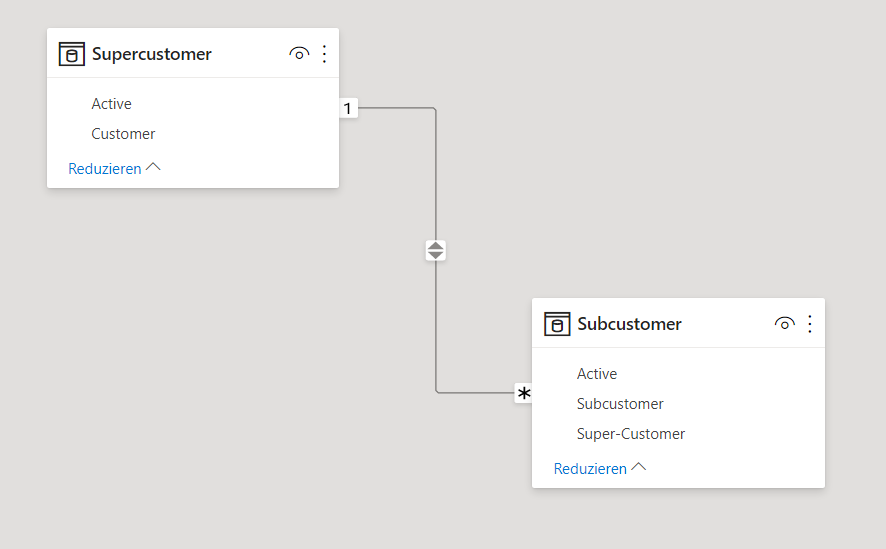
My situation is the dependency as shown in the picture with supercustomer and subcustomer.
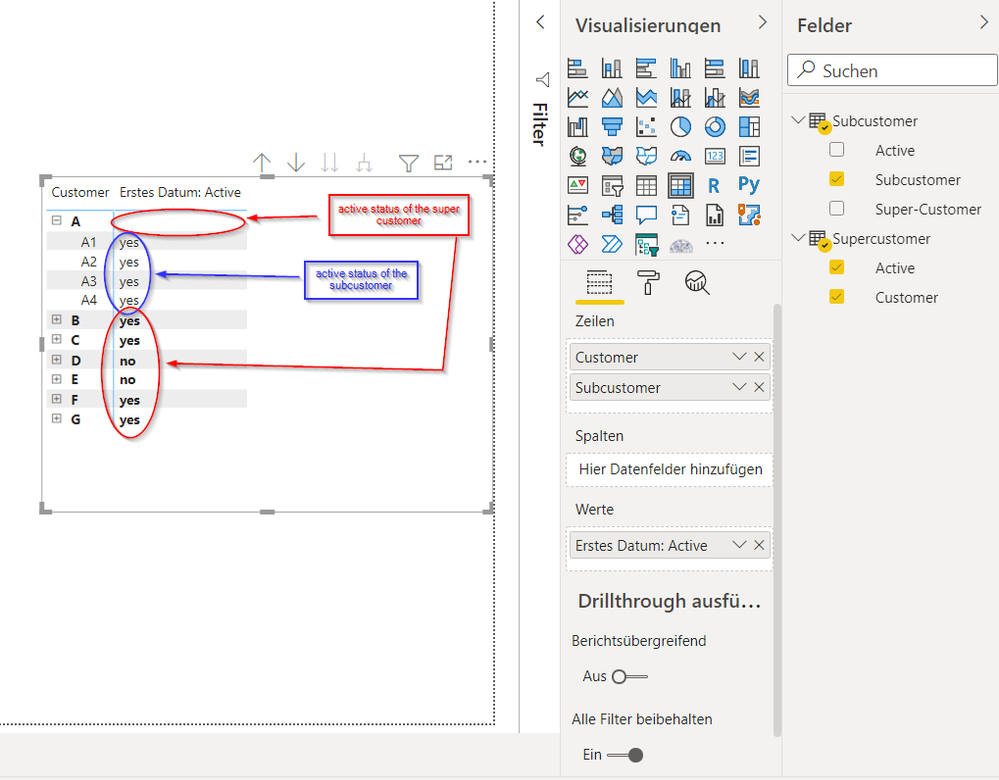
I want to show this data as shown in the picture "visualizuation" but i don't have a clue how to put the data in the format so that:
- in the red circles (red annotation) the "active status" of the super-customer is shown and
- in the blue circle (blue annotation) the "active status" of the subcustomer is shown.
Is this even possible with the matrix visual or do i nee anything else?
Thanks!
dependencies
visualization
Hey @amitchandak,
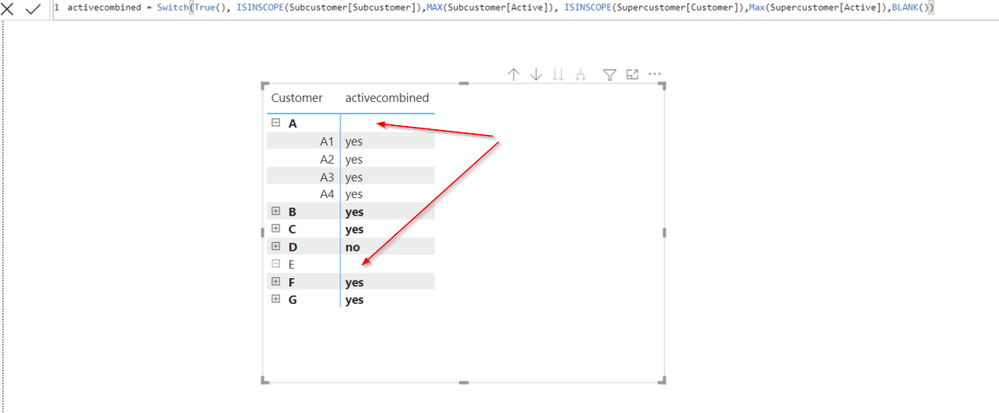
this measure worked quite good, but i don't understand why the "active status" of the Supercustomer isn't shown when i expand the Matrix like below.
Do you know a solution for that or is something wrong with my measure?
Thanks!
Hi @Steven_ ,
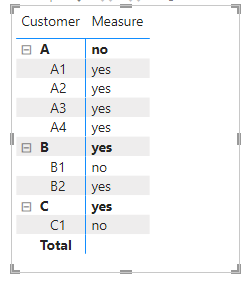
I could get correct value using amitchandak 's code. Could you please share your pbix file?
Best Regards,
Winniz
@Steven_ , Create a measure like
Switch( True() ,
isinscope(SubCustomer[SubCustomer]) , Max(SubCustomer[Active]) ,
isinscope(SuperCustomer[Customer]) , Max(SuperCustomer[Active]) ,
blank()
)
IsInScope - Switch measure at different levels: https://youtu.be/kh0gezKICEM
The Power BI Data Visualization World Championships is back! Get ahead of the game and start preparing now!
| User | Count |
|---|---|
| 41 | |
| 41 | |
| 33 | |
| 30 | |
| 27 |
| User | Count |
|---|---|
| 132 | |
| 112 | |
| 58 | |
| 57 | |
| 57 |