I've noticed a quirk in how Power BI Matrix Visual (doesn't) display Row Headers styling when using Values as Rows:
Repro steps:
- Create Matrix Visual with columns and values only (no rows)
- Under Formating, select Field Formatting and turn on "Apply to header" and make some font/background color changes.
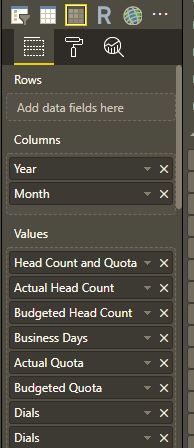 Matrix visual: Columns and Values
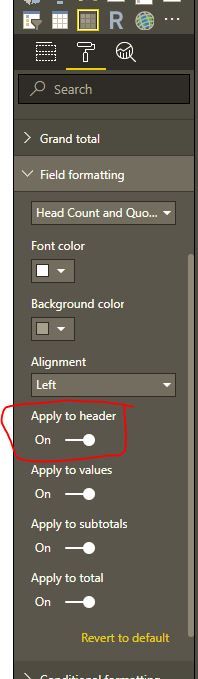 Matrix Formatting: Apply field formatting to header
Observe results: You will see your formating of that field applied to the column headers, which is as expected.
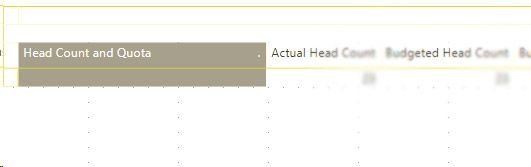 My matrix report when Values are as Column, Headers are formatted.
- Under Formating, select the Values dropdown and turn on "Show on rows"
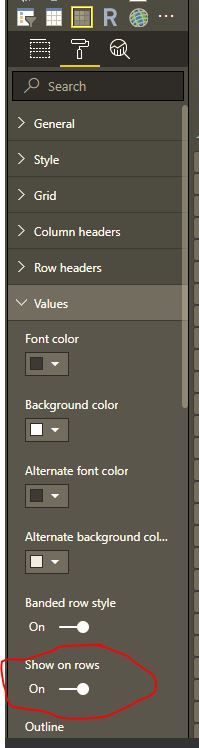 Matrix Formatting: Values as Rows
Observe results: You will see your formatting of that field not applied to the row headers.
I have reports where we want to be able to style some of these rows headers as sections and apparently this is not supported?
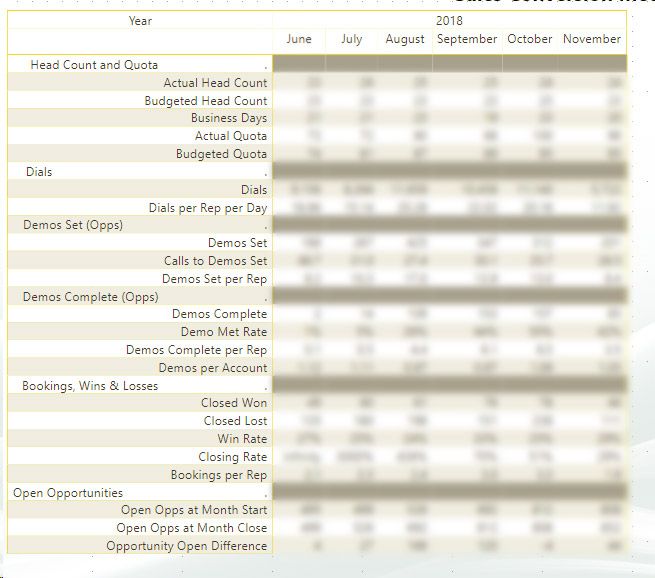 My Published Matrix report with Quirks
I'm curious to know if there will be a workaround or solution to this. We would like to have "sections" in our matrix visuals and I thought that I'd be able to apply field formatting to the values and make them as rows would accomplish this, but apparently it does not. (Note, the reason why the sections are to the far left is because I put special space charaters in those field names in order to "seperate" them out better, but it's not ideal).


