Join us at FabCon Atlanta from March 16 - 20, 2026, for the ultimate Fabric, Power BI, AI and SQL community-led event. Save $200 with code FABCOMM.
Register now!The Power BI Data Visualization World Championships is back! Get ahead of the game and start preparing now! Learn more
Hi All,
I want to use matrix preview because matrix preview has feature wrap text.Why when i drag my data to insert into row placeholder, the data only display one column?
It is including on the matrix preview limitation?
Thanks for the detail explanation.
Solved! Go to Solution.
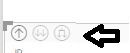
Click the third button until you see all rows
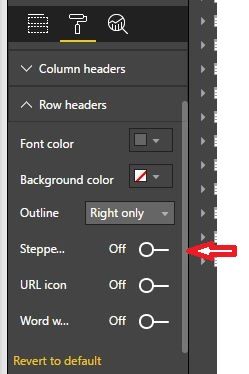
and then in format panel check off the stepped layout (off)
Can you show us an example???
hi,
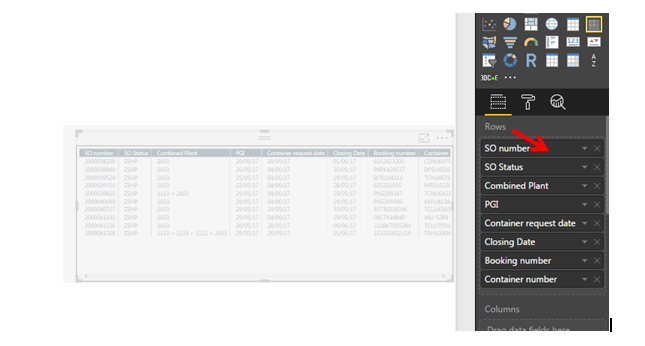
If im using just matrix, all the data will display when i drag the data to the row as picture below:
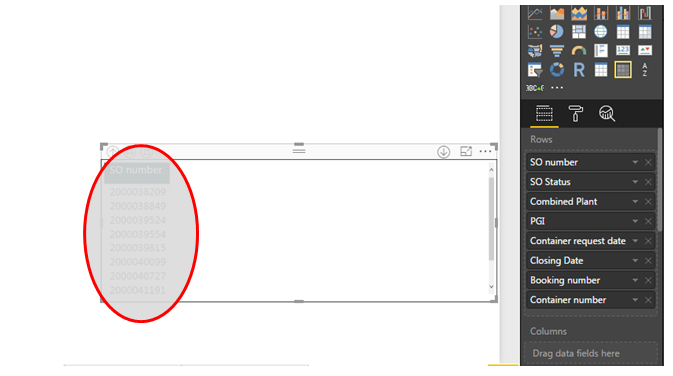
But, when i using matrix preview, only 1 column appear like picture below :
I had try to drag into value, but still cannot do like matrix. I would like to use matrix preview because it has wrap text features.
Click the third button until you see all rows
and then in format panel check off the stepped layout (off)
Wow, Thanks! ![]()
Don't forget to check this post as solved!!!!
The Power BI Data Visualization World Championships is back! Get ahead of the game and start preparing now!
| User | Count |
|---|---|
| 143 | |
| 125 | |
| 100 | |
| 80 | |
| 55 |