cancel
Showing results for 
Search instead for 
Did you mean: 

Vote for your favorite vizzies from the Power BI Dataviz World Championship submissions. Vote now!

Reply
obriaincian
Resolver I
Resolver I

Matrix Conditional Formatting

Hi All,


I've a problem I'm struggling with.


I have 2 tables


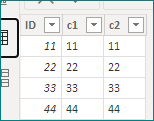
Table 1

ID                                        
11
22
33
44


Table 2

ID                                         Year                      
112021
222021
332022
442022
662023
772024
882024
992024
10102025
11112025


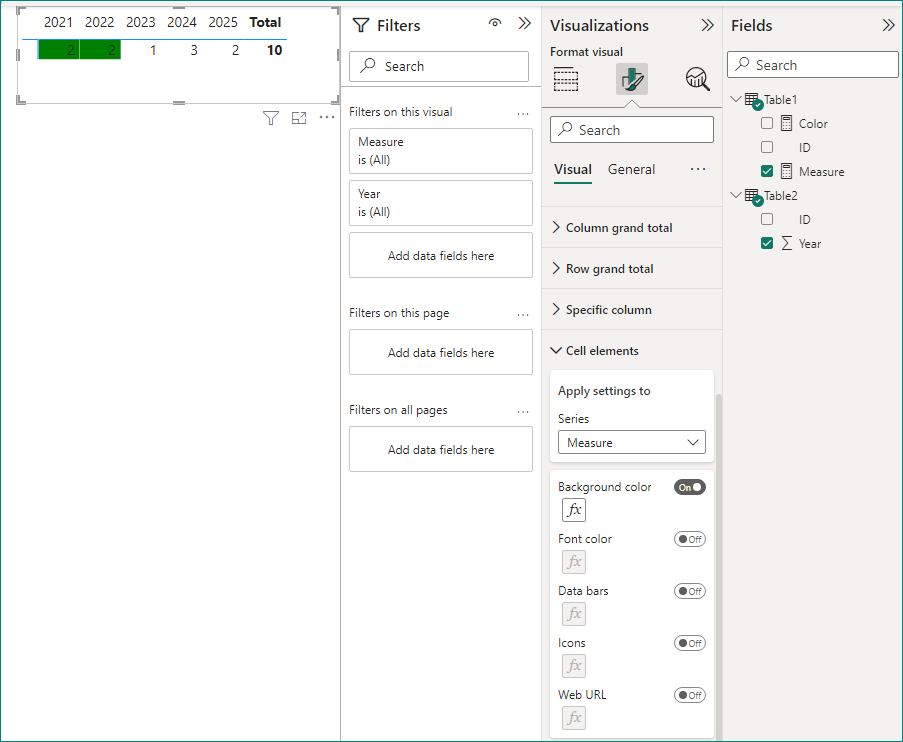
Matrix Visual (OUTPUT)

 2021                      20222023                            2024          2025          
ID Count                  22132


What I'd like if the ID from ID count is in Table 1 I'd like to color the cell background green.


I tried to do this by going to "cell elements" and entering the below formula for the background color and where the result is >= 1 then color green.


measure = 
COUNTX(FILTER('Table1','Table1'[ID]= SELECTEDVALUE('Table2'[ID])),'Table1'[ID])


4 REPLIES 4
Anonymous
Not applicable

Hi @obriaincian ,


Please try this:

Color = 
VAR _table = CALCULATETABLE(VALUES('Table2'[ID]))
VAR _color = IF(COUNTROWS(INTERSECT('Table1',_table))>0,"Green")
RETURN
_color

vcgaomsft_0-1675067116390.png

Best Regards,
Gao

Community Support Team


If there is any post helps, then please consider Accept it as the solution  to help the other members find it more quickly. If I misunderstand your needs or you still have problems on it, please feel free to let us know. Thanks a lot!

How to get your questions answered quickly --  How to provide sample data in the Power BI Forum

Hi @Anonymous,


Thank you for the solution. Unfortunately I'm getting the below error when using your code


Each table argument of 'INTERSECT' must have the same number of columns.


Any workaround for this?


Anonymous
Not applicable

Hi @obriaincian ,


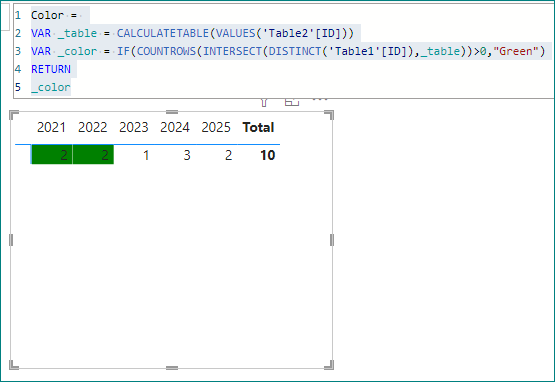
Please try:

Color = 
VAR _table = CALCULATETABLE(VALUES('Table2'[ID]))
VAR _color = IF(COUNTROWS(INTERSECT(DISTINCT('Table1'[ID]),_table))>0,"Green")
RETURN
_color

vcgaomsft_1-1675126226222.png

vcgaomsft_0-1675126197785.png

Best Regards,
Gao

Community Support Team


If there is any post helps, then please consider Accept it as the solution  to help the other members find it more quickly. If I misunderstand your needs or you still have problems on it, please feel free to let us know. Thanks a lot!

How to get your questions answered quickly --  How to provide sample data in the Power BI Forum

Pragati11
Super User
Super User

Hi @obriaincian ,


I don't think I understand your requirement. What do you mean by this statement of yours?

"What I'd like if the ID from ID count is in Table 1 I'd like to color the cell background green."


This statement doesn't make sense as the values in Table 1 are different (2 digit ID value) to what you have in your matrix visual. You matrix visual has a count of ID column not the actual value from ID column.


Kindly add more details to your requirement.


Best Regards,

Pragati Jain


MVP logo


LinkedIn | Twitter | Blog YouTube 

Did I answer your question? Mark my post as a solution! This will help others on the forum!

Appreciate your Kudos!!

Proud to be a Super User!!

Helpful resources

Announcements
Power BI DataViz World Championships

Power BI Dataviz World Championships

Vote for your favorite vizzies from the Power BI World Championship submissions!

Sticker Challenge 2026 Carousel

Join our Community Sticker Challenge 2026

If you love stickers, then you will definitely want to check out our Community Sticker Challenge!

January Power BI Update Carousel

Power BI Monthly Update - January 2026

Check out the January 2026 Power BI update to learn about new features.

FabCon Atlanta 2026 carousel

FabCon Atlanta 2026

Join us at FabCon Atlanta, March 16-20, for the ultimate Fabric, Power BI, AI and SQL community-led event. Save $200 with code FABCOMM.