cancel
Showing results for 
Search instead for 
Did you mean: 

The Power BI Data Visualization World Championships is back! Get ahead of the game and start preparing now! Learn more

Reply
TabathaN
Advocate III
Advocate III

Matrix Auto-Size Not Working Correctly

I cannot share my file due to privacy issues so hopefully all of these screenshots will be helpful.


Example #1

There are no visual or page level filters set, no slicers and the column auto-size is set to "On". From this veiw everything looks like it's working correctly, especially since the number of characters in the total row are greater than the ones of the column header.auto-size example #1.jpg


Example #2

I have added one page level filter to example #1 and the column auto-size remains "On". You can see here that the auto-sizing breaks and does not format the May column correctly.
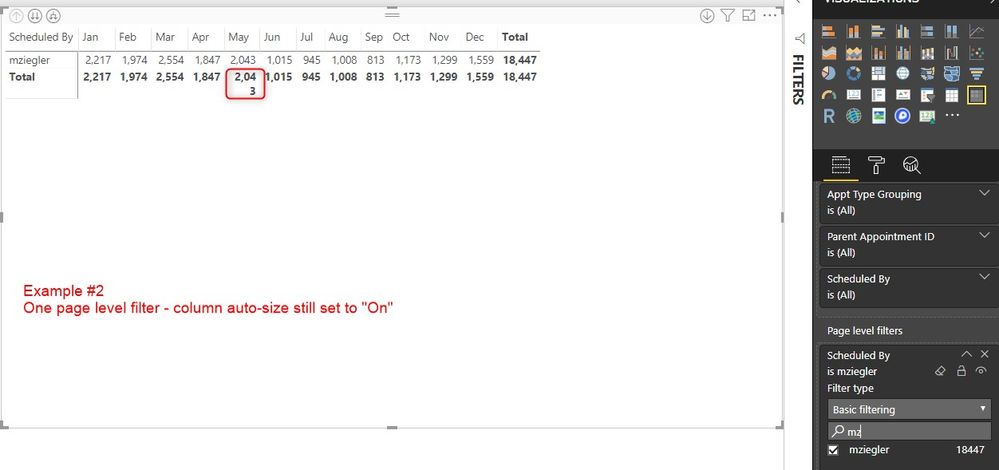
auto-size example #2.jpg


Example #3

Adding additional selections to the page level filter still provides the same result as example #2auto-size example #3.jpg
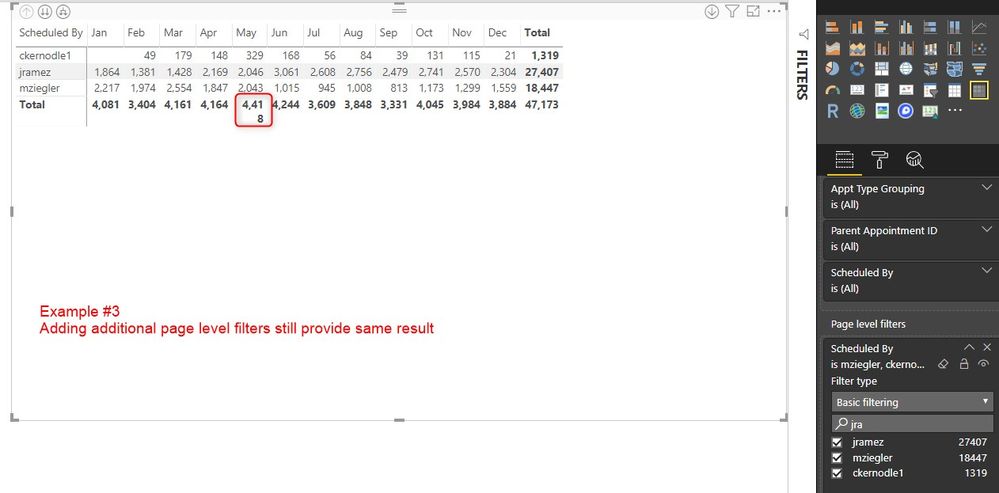


Example #4

Clearing the page level filter and using a visual level filter provides the same resultauto-size example #4.jpg
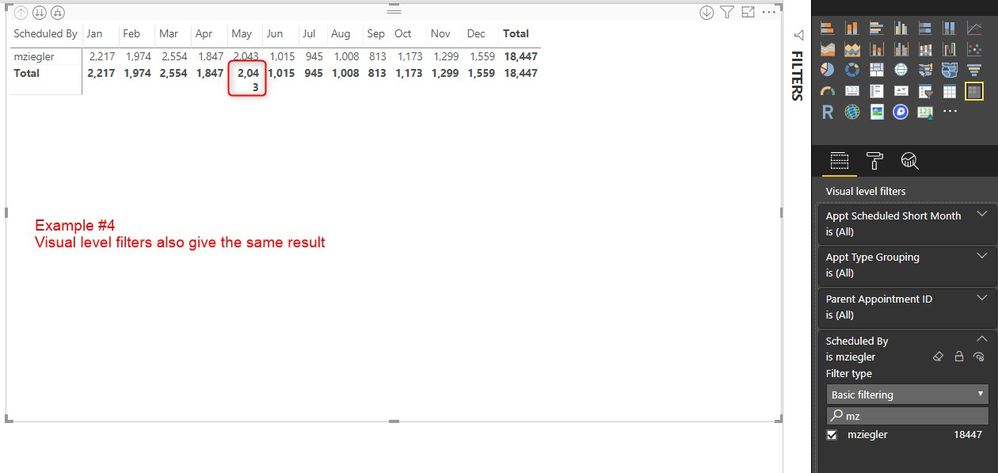


Example #5

Clearing page and visual level filters and using slicers also results in the same outcome.auto-size example #5.jpg
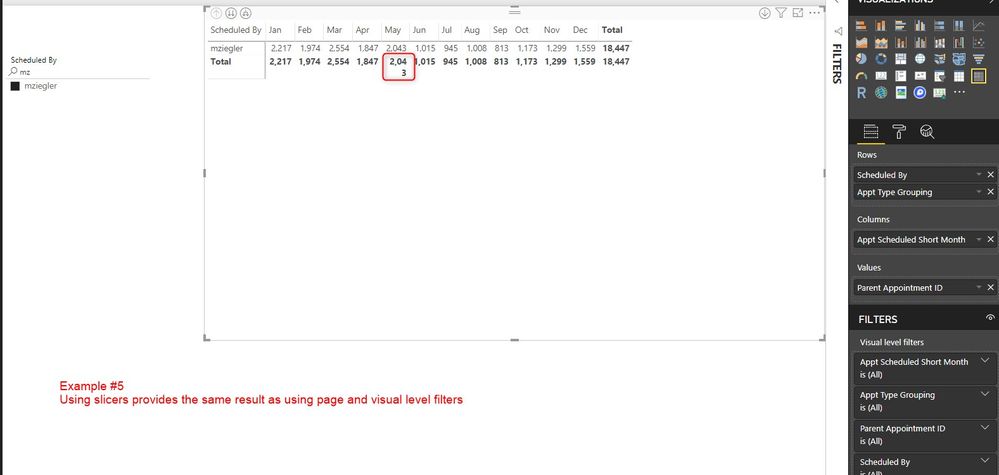


I have searched in the fourm for answers to this and have looked at any possible formatting selection I could make to correct this (I'm still new to PBI so that doesn't mean a whole lot lol) but I cannot figure it out.


Does anyone know how to fix this? It seems as though it's the filters causing the issue...?


Supplementary Information:

The value column is a count of the "parent appointment ID" which is a numerical (whole) number.

I have had this happen on more than one occassion in more than one page.

My desktop PBI is current - Version: 2.65.5313.841 64-bit (December 2018)

If I manually adjust the May column and go up or down a level the column will revert back to the wrong format where the total does not fit as seen in examples 2-5

2 REPLIES 2
Greg_Deckler
Community Champion
Community Champion

Have you tried turning the auto-sizing to off? Then manually set your column widths to their maximum expected size. Not great necessarily but I think that should work.


Follow on LinkedIn
@ me in replies or I'll lose your thread!!!
Instead of a Kudo, please vote for this idea
Become an expert!: Enterprise DNA
External Tools: MSHGQM
YouTube Channel!: Microsoft Hates Greg
Latest book!:
DAX For Humans

DAX is easy, CALCULATE makes DAX hard...

@Greg_Deckler

I have but unfortunatley the numbers can vary so much from level to level depending on what filters are in place that I don't feel like this is an adequate solution 😞

I really feel like this is some type of bug but was hoping there was an easy answer out there that would solve the auto-sizing issue so I won't have to make these chages all the time.

Helpful resources

Announcements
Power BI DataViz World Championships

Power BI Dataviz World Championships

The Power BI Data Visualization World Championships is back! Get ahead of the game and start preparing now!

December 2025 Power BI Update Carousel

Power BI Monthly Update - December 2025

Check out the December 2025 Power BI Holiday Recap!

FabCon Atlanta 2026 carousel

FabCon Atlanta 2026

Join us at FabCon Atlanta, March 16-20, for the ultimate Fabric, Power BI, AI and SQL community-led event. Save $200 with code FABCOMM.