Hello,
I am trying to make a map with a drill down on a map of the US. I have the levels as Region -> Market (hoping to add one more layer next). Originally the regions were not getting mapped correctly ie 'US West' was in a random location not really indicative of its name so I created a column to manually to specifcy an exact location for the regions and it worked.
When I drill down another level the bubbles are stacking on top of each other and I've tried changing certain market names to something more exact: City, State, US; City, Zip Code; and (Lat, Long). It seems like only one of the replacements worked and I can't get the others to be placed correctly. I looked at some previous posts and they had used just zip codes but that does not seem to work either. I am pretty new to Power BI so I'm not even sure if I'm approaching this correctly.
US Region view
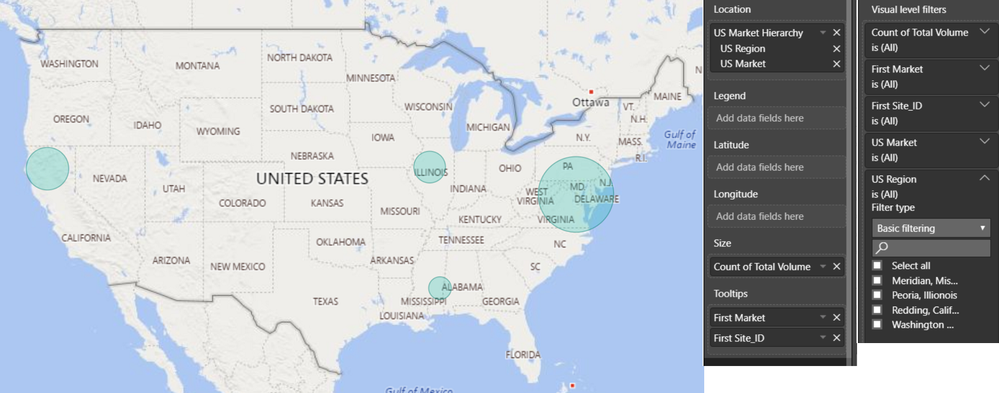
Market View
My last question is -- is it possible to add a third drill down using lat and long for the locations? I've tried creating a hierarchy with lat/long and placing that into the Location and it doesnt seem to work. Is there a way to combine them into a single element "lat, long" and append it to the location section? I tried it, but it could be possible I have the format incorrect.
The only other way I thought of is if a market was selected, was to drill through into another map that had all the lat/long coordinates.
Any help would be appreciated! Thanks!


