cancel
Showing results for 
Search instead for 
Did you mean: 

Try your skills in the Power BI Dataviz World Championship! Round one ends June 26. Join now

Reply
jeffclarke
New Member

Map Visualization Not Displaying

I'm working on one of the Tutorials and am having trouble with the Map Visualization for STATE name.


The first tutorial I did worked fine and I have gone through the online tips as suggested in related posts, but this one doesn't want to recognize it properly...and yes I have already changed the Data Category to State or Province.


Tried to insert a screen shot but there is no upload function.


The source of the data is


 http://www.bankrate.com/finance/retirement/best-places-retire-how-state-ranks.aspx


The Tutorial is at:


https://powerbi.microsoft.com/en-us/documentation/powerbi-desktop-getting-started/


2 REPLIES 2
KrisW
Helper I
Helper I

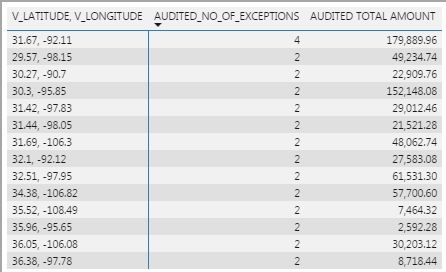
I am running into a similar/different issue. I am the new "owner" of a PBIX document with multiple pages... each page renders similar visualizations for different exception reports contained in an EXCEL file. We have access to a database containing Latitude & Longtitude for zip codes & we use these fields in each report to plot data on a map. I am reviewing each page, checking for filters that should not be there. I came to one page & simply found a blank map.

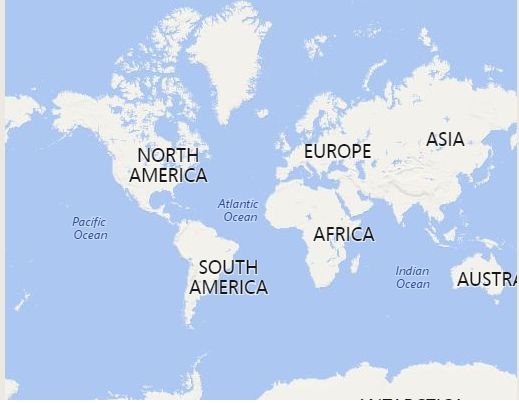
I have tried deleting & re-adding, no luck. What am I doing wrong?Map missing dataMap missing dataUnderlying data, 14 unique pairs in 4 different statesUnderlying data, 14 unique pairs in 4 different statesError message if I click the "!" in upper corner of mapError message if I click the "!" in upper corner of mapMap from a different pageMap from a different page


Anonymous
Not applicable

@jeffclarke,

What is the problem do you get when you create the map? I make a test using the above sample data in the latest version of Power BI Desktop(2.46.4732.721), everything works well.
1.PNG


Thanks,
Lydia Zhang

Helpful resources

Announcements
Fabric Data Days is here Carousel

Data Days 2026

Don't miss out on Data Days, June 15 through August 7. Learn Fabric, Power BI, SQL, AI and more.

Power BI DataViz World Championships carousel

Power BI DataViz World Championships - June 2026

A new Power BI DataViz World Championship is coming this June! Don't miss out on submitting your entry.