Join us at FabCon Atlanta from March 16 - 20, 2026, for the ultimate Fabric, Power BI, AI and SQL community-led event. Save $200 with code FABCOMM.
Register now!Learn from the best! Meet the four finalists headed to the FINALS of the Power BI Dataviz World Championships! Register now
Is there a way to layer on reference layers using the ArcGIS visual? For example, if there a way to use one of the demographic reference layers and a custom layer at the same time?
Based on my research, the way to use multiple layers in ArcGIS visual is not yet supported now. You may vote for it in Power BI Ideas.
Regards,
Cherie
Thank you Cherie. Do you have experience layering on maps on top of each other with the same shape map referenced?
Hi @jberman,
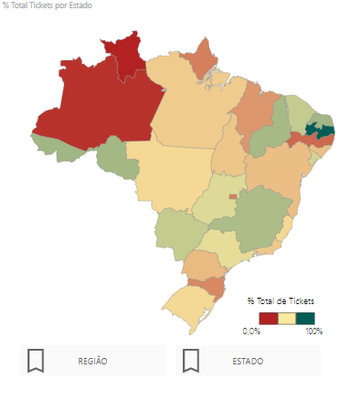
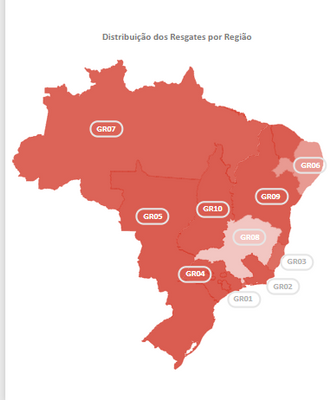
Recently i created a custom map of Brazil for my company using an svg file, than i used synoptic panel for presentation, have you tried that?
You can use bookmarks to show and hide the maps. here's an example:
States:
Custom Region Map:
Thank you! I haven't tried that, but will play around with the visual shortly. I was looking to have a dynamic visual that allows the user to zoom in and out similar to that of the out of the box layers in ESRI visual.
Share feedback directly with Fabric product managers, participate in targeted research studies and influence the Fabric roadmap.
Check out the February 2026 Power BI update to learn about new features.
| User | Count |
|---|---|
| 61 | |
| 58 | |
| 42 | |
| 18 | |
| 15 |
| User | Count |
|---|---|
| 105 | |
| 99 | |
| 38 | |
| 29 | |
| 29 |