Hi
I have two decimal values in my dataset that aren't showing correctly. I believe it's due to the length of decimal places. See below screenshot of the original custom column calculation. The custom column calculates from two other columns - one is decimal value format with 2 decimal places and the other column is whole number format.
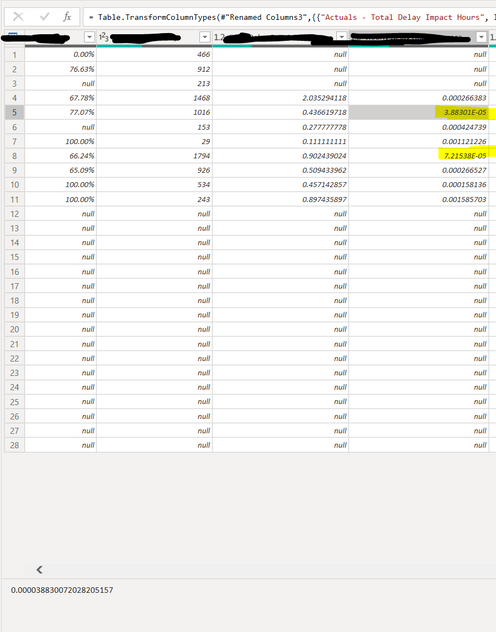
you can see at the very bottom of this screenshot that is has many decimal values.
I have tried to use the "round off" function in the transform tab, however it's not fixing the issues.
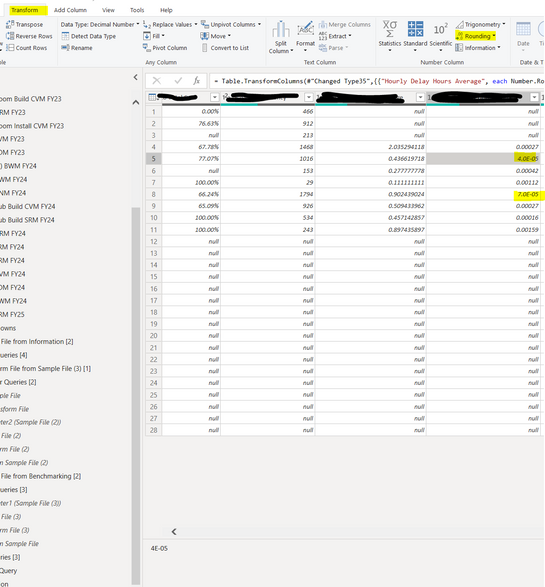
I have also tried to change it in the data tab which seemed to have worked.
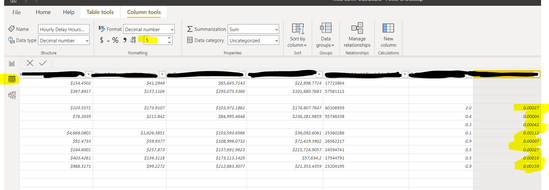
However, when I use it in my chart visual, it is still showing weird values, even though I have selected on the visual to show 5 decimal places only. The value for the first one should show 0.00004 and the second should be 0.00007
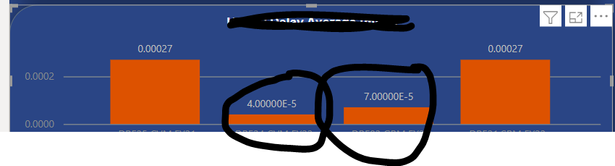
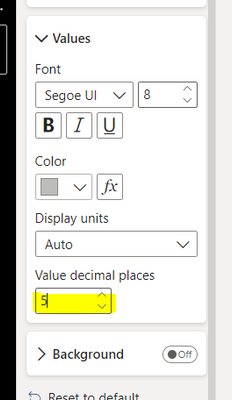
How do I fix these value issues?
thanks in advance for your help! 🙂


