Join us at FabCon Atlanta from March 16 - 20, 2026, for the ultimate Fabric, Power BI, AI and SQL community-led event. Save $200 with code FABCOMM.
Register now!Learn from the best! Meet the four finalists headed to the FINALS of the Power BI Dataviz World Championships! Register now
Hi All
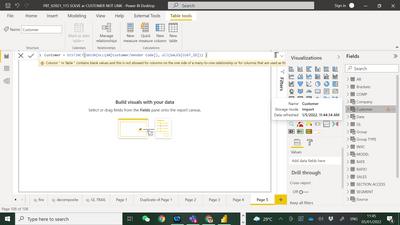
My AR table customer table unable to link with my SOURCE table.
i using this expression to link :-
I get below error msg :-
Column '' in Table '' contains blank values and this is not allowed for columns on the one side of a many-to-one relationship or for columns that are used as the primary key of a table.
Can some one advise me how to clear the error msg ?
Sample PBI file :-
Paul
Solved! Go to Solution.
Hi @admin11 ,
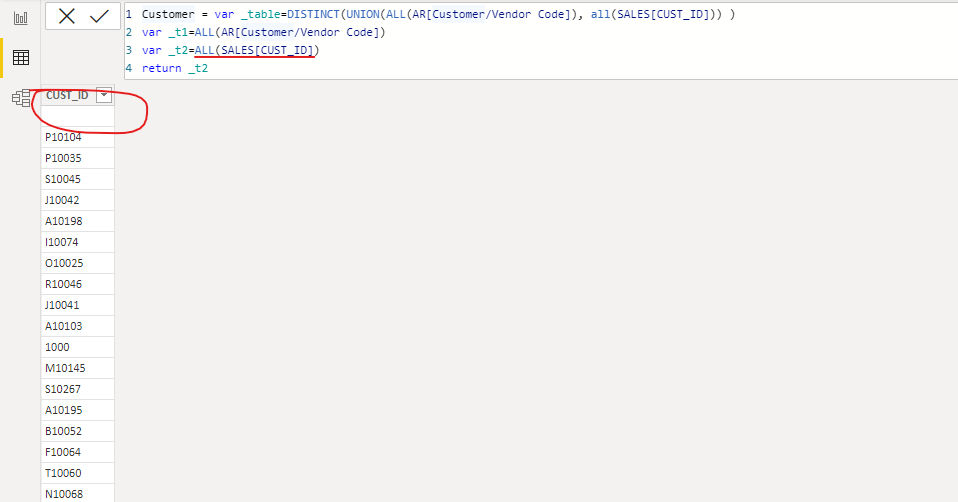
The reason for the error is that this column contains null values.
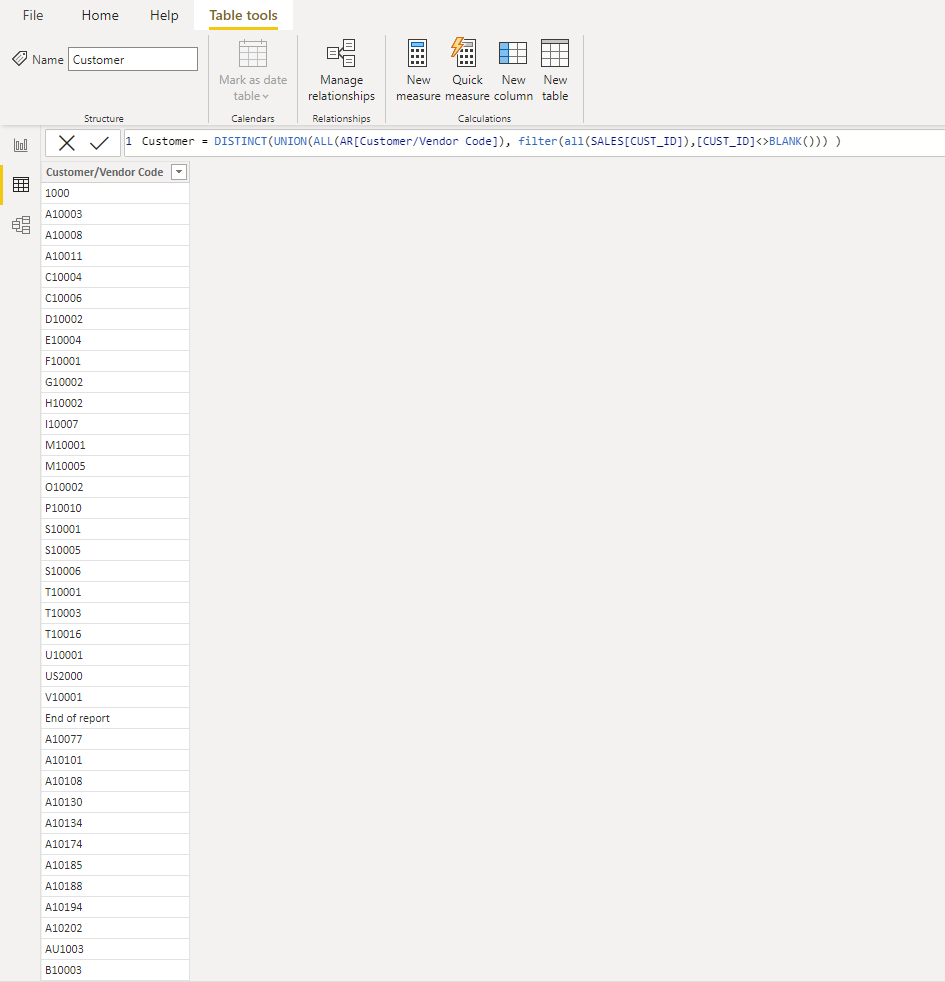
Result after filtering out blank values
Customer = DISTINCT(UNION(ALL(AR[Customer/Vendor Code]), filter(all(SALES[CUST_ID]),[CUST_ID]<>BLANK())) )
Best Regards,
Stephen Tao
If this post helps, then please consider Accept it as the solution to help the other members find it more quickly.
Hi @admin11
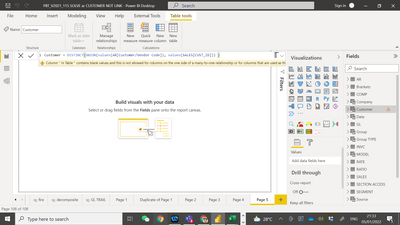
Try this:
Customer = DISTINCT(UNION(values(AR[Customer/Vendor Code]), values(SALES[CUST_ID])) )
If this post helps, please consider accepting it as the solution to help the other members find it more quickly.
Appreciate your Kudos!!
LinkedIn: www.linkedin.com/in/vahid-dm/
New Year Power BI eCard:
https://community.powerbi.com/t5/Data-Stories-Gallery/Happy-New-Year/td-p/2266398
Hi @admin11 ,
The reason for the error is that this column contains null values.
Result after filtering out blank values
Customer = DISTINCT(UNION(ALL(AR[Customer/Vendor Code]), filter(all(SALES[CUST_ID]),[CUST_ID]<>BLANK())) )
Best Regards,
Stephen Tao
If this post helps, then please consider Accept it as the solution to help the other members find it more quickly.
@Anonymous
Thank you very much for your help, it work fine now.
Paul
Share feedback directly with Fabric product managers, participate in targeted research studies and influence the Fabric roadmap.
Check out the February 2026 Power BI update to learn about new features.
| User | Count |
|---|---|
| 52 | |
| 51 | |
| 34 | |
| 14 | |
| 14 |
| User | Count |
|---|---|
| 94 | |
| 77 | |
| 41 | |
| 27 | |
| 25 |