Join us in Barcelona for FabCon and SQLCon, September 28 - October 1, 2026.
This is best Fabric, Power BI, SQL and AI community event. How do we know? The last event sold out! Save €200 with code FABCMTY200.
Register now- Power BI forums
- Get Help with Power BI
- Desktop
- Service
- Report Server
- Power Query
- Mobile Apps
- Developer
- DAX Commands and Tips
- Custom Visuals Development Discussion
- Health and Life Sciences
- Power BI Spanish forums
- Translated Spanish Desktop
- Training and Consulting
- Instructor Led Training
- Dashboard in a Day for Women, by Women
- Galleries
- Data Stories Gallery
- Themes Gallery
- Contests Gallery
- QuickViz Gallery
- Quick Measures Gallery
- Visual Calculations Gallery
- Fabric Apps Gallery
- Notebook Gallery
- Translytical Task Flow Gallery
- TMDL Gallery
- R Script Showcase
- Webinars and Video Gallery
- Ideas
- Custom Visuals Ideas (read-only)
- Issues
- Issues
- Events
- Upcoming Events
The Fabric community is upgrading! Read all of the details including the timeline and what you can expect. Learn more
- Power BI forums
- Forums
- Get Help with Power BI
- Desktop
- Re: Line and Stacked Column chart issue with Inclu...
- Subscribe to RSS Feed
- Mark Topic as New
- Mark Topic as Read
- Float this Topic for Current User
- Bookmark
- Subscribe
- Printer Friendly Page


- Mark as New
- Bookmark
- Subscribe
- Mute
- Subscribe to RSS Feed
- Permalink
- Report Inappropriate Content
Line and Stacked Column chart issue with Include & Exclude function.
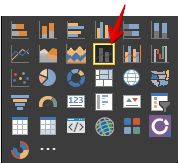
Maybe it's me, but I'm having an issue with the include exclude function when you right click on a bar using the Line and Stacked Column chart.
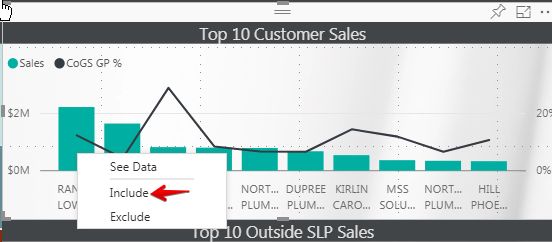
Right clicking on the first bar I selected "Include" and got the result of seeing just that bar.
Not sure as to how to get back to the original state I tried excluding the only visible bar.
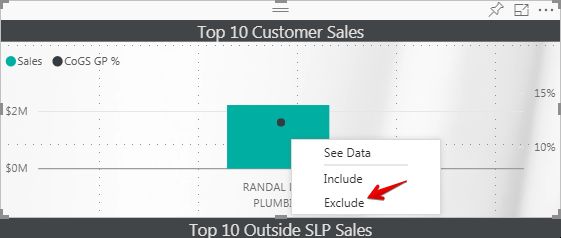
Excluding the only visible bar leaves the visual blank. What do you have to do to get back to the original state?
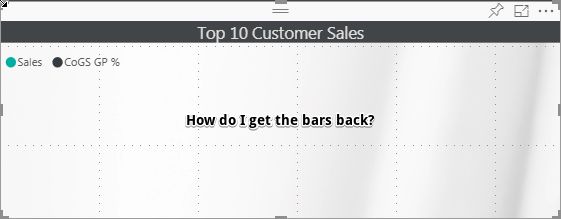
Please let me know what I'm missing here.
Thanks
Ross
Solved! Go to Solution.


- Mark as New
- Bookmark
- Subscribe
- Mute
- Subscribe to RSS Feed
- Permalink
- Report Inappropriate Content
Hi @RitzCracker,
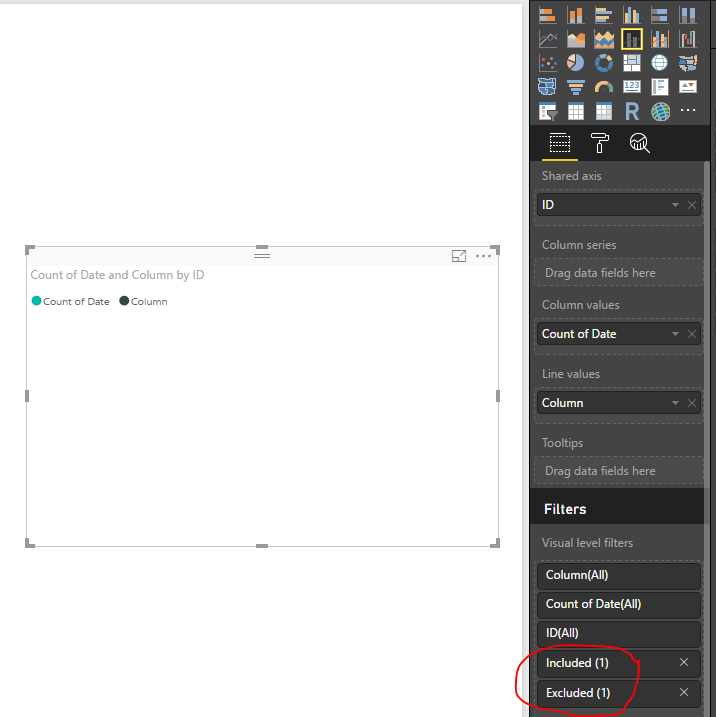
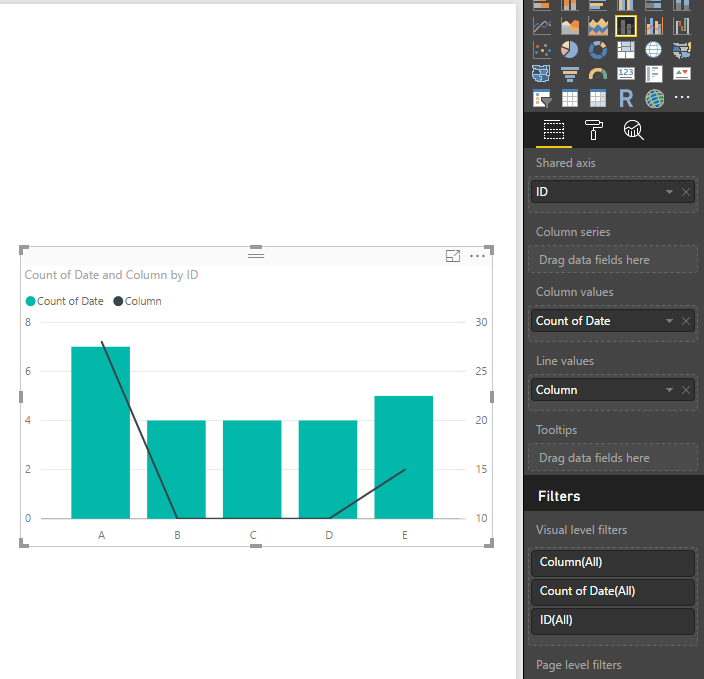
When you click the bar and select the Include, the filter condition will be added into the Visual level filter pane. The Exclude condition will also be added if you click Exclude. If you want to get back to the original chart, please remove Included and Excluded conditions from Visual level filter pane.
Best Regards,
QiuyunYu
If this post helps, then please consider Accept it as the solution to help the other members find it more quickly.
- Mark as New
- Bookmark
- Subscribe
- Mute
- Subscribe to RSS Feed
- Permalink
- Report Inappropriate Content
Hi @RitzCracker,
If you are satisfied with my response, would you please mark a helpful reply as an answer so we can close this thread?
Best Regards,
QiuyunYu
If this post helps, then please consider Accept it as the solution to help the other members find it more quickly.


- Mark as New
- Bookmark
- Subscribe
- Mute
- Subscribe to RSS Feed
- Permalink
- Report Inappropriate Content
Hello,
I am facing a related issue wherein, in few of the stacked bar charts, I do not get an option to Include, Exclude. I get the option on other charts though.
Is there a scenario where these options are not supposed to appear ?
- Mark as New
- Bookmark
- Subscribe
- Mute
- Subscribe to RSS Feed
- Permalink
- Report Inappropriate Content
Hi @RitzCracker,
When you click the bar and select the Include, the filter condition will be added into the Visual level filter pane. The Exclude condition will also be added if you click Exclude. If you want to get back to the original chart, please remove Included and Excluded conditions from Visual level filter pane.
Best Regards,
QiuyunYu
If this post helps, then please consider Accept it as the solution to help the other members find it more quickly.
- Mark as New
- Bookmark
- Subscribe
- Mute
- Subscribe to RSS Feed
- Permalink
- Report Inappropriate Content
The solution is acceptable in Power BI Desktop, but what should user do with embedded visual where Filter panel is not available?
As of now I am able to fix the issue only by page refresh in browser.
Kind regards,
Maryia Arlova
- Mark as New
- Bookmark
- Subscribe
- Mute
- Subscribe to RSS Feed
- Permalink
- Report Inappropriate Content
Thank you so much! I knew it had to be something I wasn't seeing.
- Mark as New
- Bookmark
- Subscribe
- Mute
- Subscribe to RSS Feed
- Permalink
- Report Inappropriate Content
Hi @RitzCracker,
If you are satisfied with my response, would you please mark a helpful reply as an answer so we can close this thread?
Best Regards,
QiuyunYu
If this post helps, then please consider Accept it as the solution to help the other members find it more quickly.

Helpful resources

FabCon & SQLCon – Barcelona 2026
Join us in Barcelona for FabCon and SQLCon, the Fabric, Power BI, SQL, and AI community event. Save €200 with code FABCMTY200.

Power BI DataViz World Championships - June 2026
A new Power BI DataViz World Championship is coming this June! Don't miss out on submitting your entry.

| User | Count |
|---|---|
| 24 | |
| 22 | |
| 20 | |
| 18 | |
| 14 |


| User | Count |
|---|---|
| 31 | |
| 26 | |
| 23 | |
| 20 | |
| 20 |


