cancel
Showing results for 
Search instead for 
Did you mean: 

We've captured the moments from FabCon & SQLCon that everyone is talking about, and we are bringing them to the community, live and on-demand. Starts on April 14th. Register now

Reply
Kopek
Helper IV
Helper IV

Line Chart Shadow area

Hi,


Are we able to somehow have the shadow area in the line chart ?

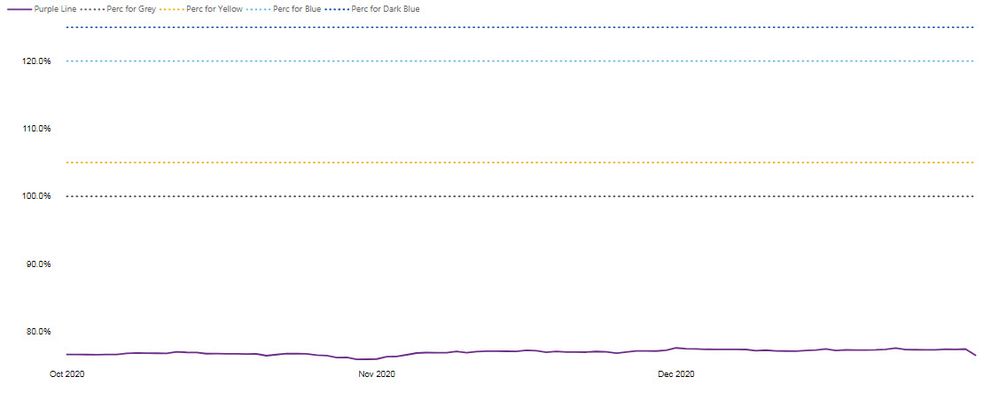
I have produced below chart:

Linechart.jpg


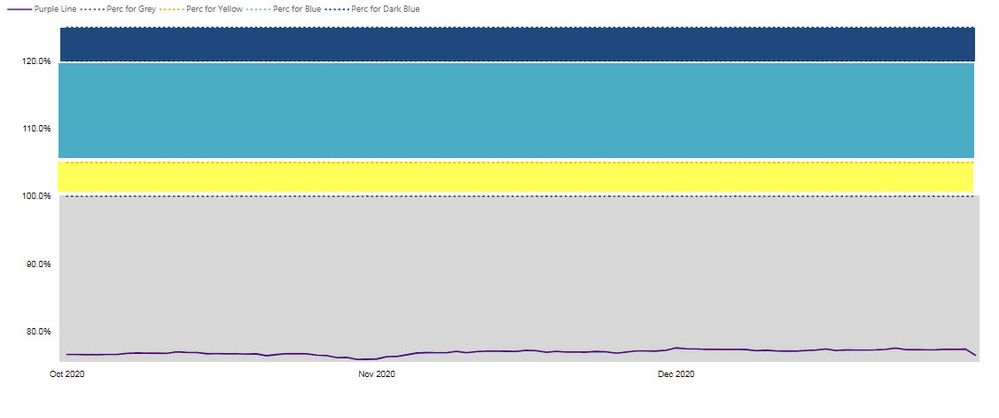
But ideally we would like to colour the dotted lines areas, something like below (purple line should be a line only!):


LinechartNEW.jpg


So it is something like having a area chart combined with the line chart.
Are you aware about any solutions to this ? 
any tips or tricks are welcome! 🙂


Thanks in advance.

4 REPLIES 4
Syndicate_Admin
Administrator
Administrator

The Function as such, is not possible to develop with the visual objects developed; for these cases only on some occasions I have been able to duplicate the graph position it one on top of another and occupy the graph of lines in the graph and in the second the one of shadows with this gives the feeling that the behavior you mention is happening; although at the level of performance it is not optimal and I recommend you look for a supplementary way to generate the consumption of that information.

Best regards

Marcellus

Tahreem24
Super User
Super User

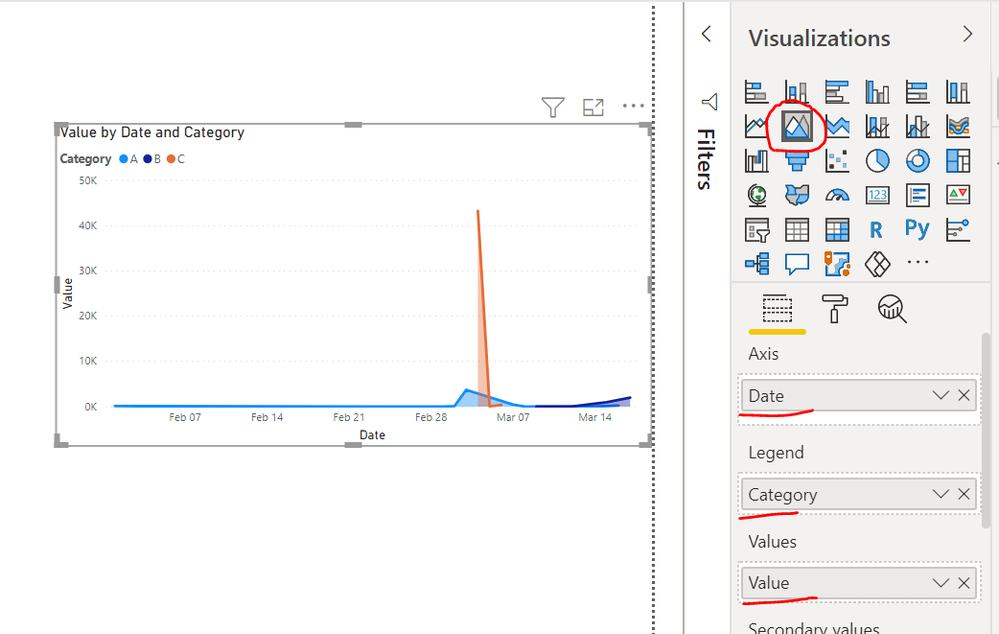
@Kopek  Did you try Area Chart like below?

Capture.PNG


Don't forget to give thumbs up and accept this as a solution if it helped you!!!

Please take a quick glance at newly created dashboards : Restaurant Management Dashboard , HR Analytics Report , Hotel Management Report, Sales Analysis Report , Fortune 500 Companies Analysis , Revenue Tracking Dashboard

@Tahreem24 yes, i did try this, but with area chart purple line will not be the line, but would have a shadow area as well...
i need purple line to be a line on grey area... just testing overlying the line chart on area chart.

Hi @Kopek ,


Based on my research, there is no such default visual to achieve your requirement in current Power BI visual. If you are good at coding, you could create your own custom visual to achieve this requirement. 
https://powerbi.microsoft.com/en-us/documentation/powerbi-custom-visuals-getting-started-with-develo...


Best Regards,
Kelly

Did I answer your question? Mark my post as a solution!


Helpful resources

Announcements
New to Fabric survey Carousel

New to Fabric Survey

If you have recently started exploring Fabric, we'd love to hear how it's going. Your feedback can help with product improvements.

Power BI DataViz World Championships carousel

Power BI DataViz World Championships - June 2026

A new Power BI DataViz World Championship is coming this June! Don't miss out on submitting your entry.

Join our Fabric User Panel

Join our Fabric User Panel

Share feedback directly with Fabric product managers, participate in targeted research studies and influence the Fabric roadmap.

March Power BI Update Carousel

Power BI Community Update - March 2026

Check out the March 2026 Power BI update to learn about new features.