Join us at FabCon Atlanta from March 16 - 20, 2026, for the ultimate Fabric, Power BI, AI and SQL community-led event. Save $200 with code FABCOMM.
Register now!The Power BI Data Visualization World Championships is back! It's time to submit your entry. Live now!
Hello,
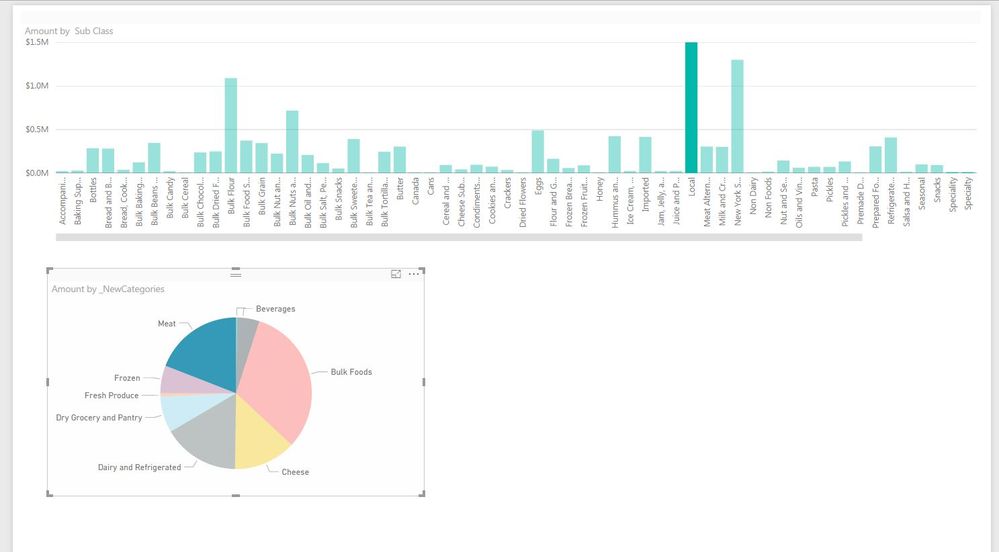
I have a simple visual that i would like to only show bars for when there is a value after I drill down on another vlaue. I notice the "multi row card" does automatically, but is it possible for the "clustered column chart" to limit in the same way? In my attached screen shot I would like to only see green bars for sub classes that are within the product class dthat I have clicked on.
Thanks!
Solved! Go to Solution.
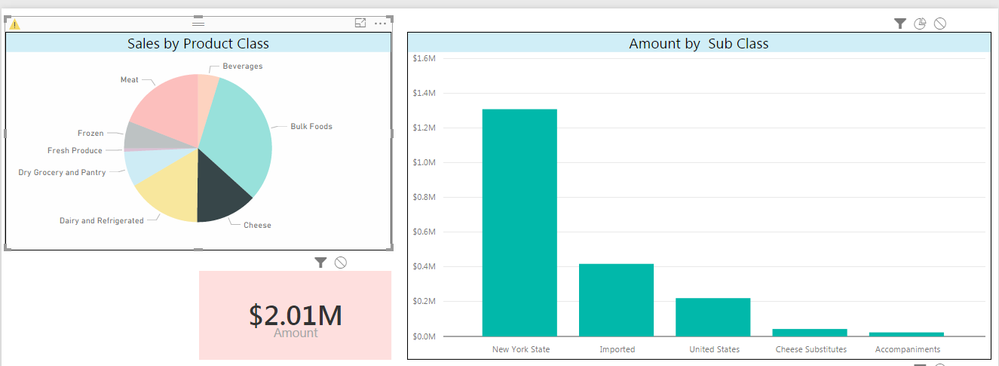
Naturally a follow up question... Using the "Edit Interactions" it is now filtering the list of Sub Classes based on what product class I select. Success!
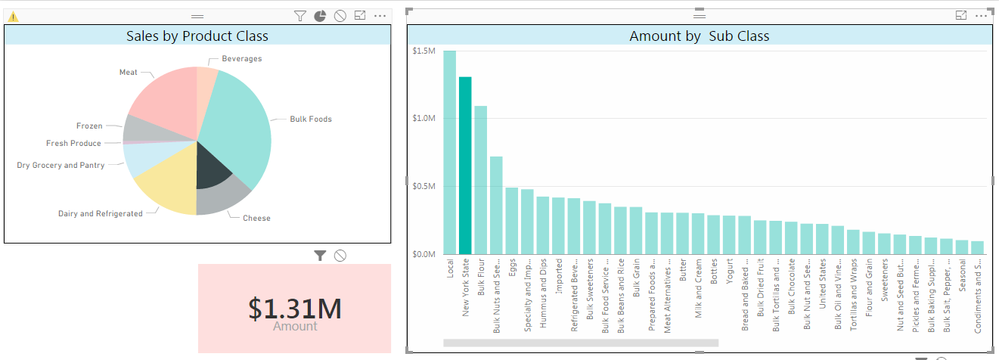
However, when I then select a subclass all sub classes reappear. Is it possible for the drill down to "stick" in some way?
Not with brushing and linking. Adding a slicer or filter would be "stickier".
Awesome never even realized that was there.
Thank you!
| User | Count |
|---|---|
| 51 | |
| 38 | |
| 33 | |
| 22 | |
| 19 |
| User | Count |
|---|---|
| 136 | |
| 102 | |
| 58 | |
| 36 | |
| 35 |