Share feedback directly with Fabric product managers, participate in targeted research studies and influence the Fabric roadmap.
Sign up nowGet Fabric certified for FREE! Don't miss your chance! Learn more
Hi,
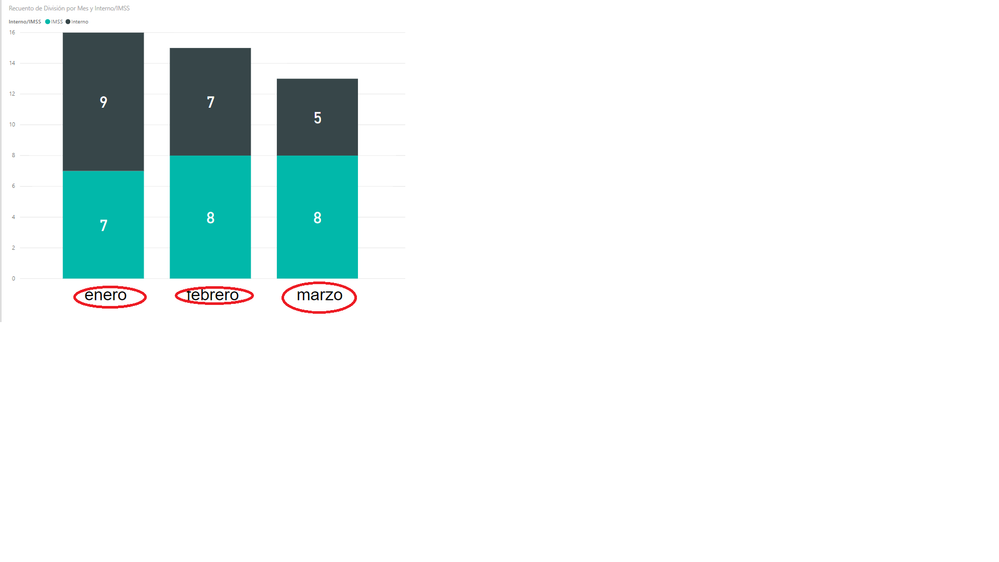
I've been trying to change the month legend format from "enero" to "Enero" in my powerbi graph, could someone help me?
Currently my date format is dd/mm/yyyy 00:00 am
Actual output
Hey @dantedg1,
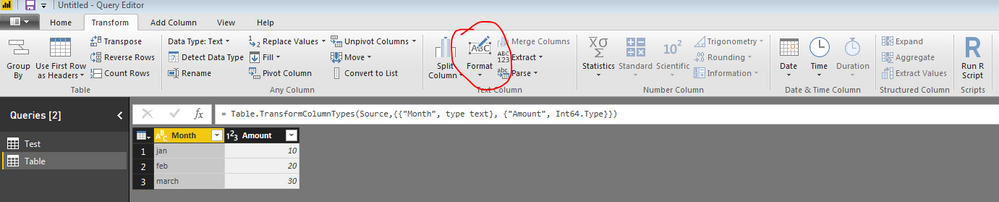
This isn't a problem with your legend, but a problem with your data. If you change your data to have the correct capitalization, then these axis labels will look how you want. You can do this easily by going to Query Editor -> Transform -> Format -> Capitalize Each Word (While you've selected the proper column).
Hope this helps,
Parker
Hello Parker,
Problem is that my column format is on Date, applying the format change just changes it to numbers. DO you have any other suggestions?
Right, I see what you're saying. Sorry I don't know how you would change how Power BI represents a month in a certain language. If you wanted to transform the date field into a text of the month name, that would be:
CalculatedMonth = FORMAT('Table'[Date], "MMMM")Then you could capitalize like I suggested in the previous comment.
Hope this works or you find another solution,
Parker
If you love stickers, then you will definitely want to check out our Community Sticker Challenge!
Check out the January 2026 Power BI update to learn about new features.
| User | Count |
|---|---|
| 65 | |
| 65 | |
| 48 | |
| 21 | |
| 18 |
| User | Count |
|---|---|
| 119 | |
| 117 | |
| 38 | |
| 36 | |
| 27 |