cancel
Showing results for 
Search instead for 
Did you mean: 

Learn from the best! Meet the four finalists headed to the FINALS of the Power BI Dataviz World Championships! Register now

Reply
parry2k
Super User
Super User

Learn how Table.Buffer Power Query M function improved the dataset refresh time - Power BI

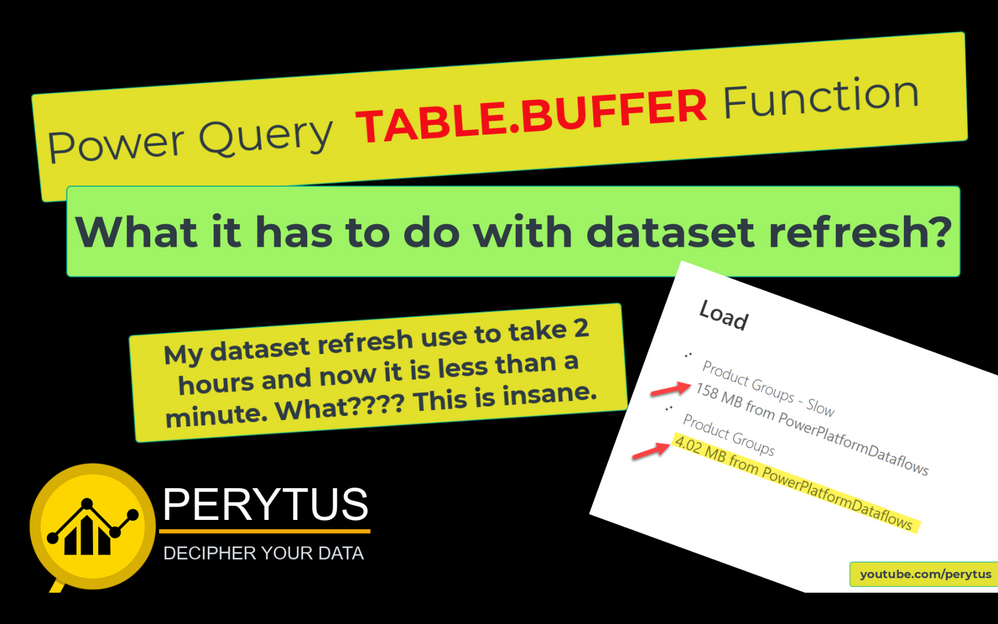
It is not always we get clean, optimized data in the format we are looking for to develop a scalable, efficient, and optimized data model, and that's when we have to transform/shape the data in Power Query to meet the reporting needs. Sometimes these transformations can be very expensive which then can lead to a longer refresh time of the datasets. In this video, I will talk about the refresh of a dataset that was taking more than 2 hours because of certain transformations, and after small tweaks, the refresh time came down to less than a minute. Thanks to Table.Buffer function. I will walk thru how this function drastically improved the refresh time. From this video we will learn:


👉 what transformation was required

👉 why transformation was required

👉how TABLE.BUFFER function was used


Table Buffer Refresh Performance (Time 0_00_02;29).png


Subscribe to the @PowerBIHowTo YT channel for an upcoming video on List and Record functions in Power Query!!

Learn Power BI and Fabric - subscribe to our YT channel - Click here: @PowerBIHowTo

If my solution proved useful, I'd be delighted to receive Kudos. When you put effort into asking a question, it's equally thoughtful to acknowledge and give Kudos to the individual who helped you solve the problem. It's a small gesture that shows appreciation and encouragement! ❤


Did I answer your question? Mark my post as a solution. Proud to be a Super User! Appreciate your Kudos 🙂
Feel free to email me with any of your BI needs.

2 REPLIES 2
v-henryk-mstf
Community Support
Community Support

Hi @parry2k ,


Thank you for sharing. You can mark the reply for the standard answer to help the other members find it more quickly. 


Best Regards,
Henry

parry2k
Super User
Super User

In case you missed it. Cheers!!


Subscribe to the @PowerBIHowTo YT channel for an upcoming video on List and Record functions in Power Query!!

Learn Power BI and Fabric - subscribe to our YT channel - Click here: @PowerBIHowTo

If my solution proved useful, I'd be delighted to receive Kudos. When you put effort into asking a question, it's equally thoughtful to acknowledge and give Kudos to the individual who helped you solve the problem. It's a small gesture that shows appreciation and encouragement! ❤


Did I answer your question? Mark my post as a solution. Proud to be a Super User! Appreciate your Kudos 🙂
Feel free to email me with any of your BI needs.
Helpful resources

Announcements
Power BI DataViz World Championships carousel

Power BI DataViz World Championships - June 2026

A new Power BI DataViz World Championship is coming this June! Don't miss out on submitting your entry.

Join our Fabric User Panel

Join our Fabric User Panel

Share feedback directly with Fabric product managers, participate in targeted research studies and influence the Fabric roadmap.

March Power BI Update Carousel

Power BI Community Update - March 2026

Check out the March 2026 Power BI update to learn about new features.