cancel
Showing results for 
Search instead for 
Did you mean: 

Level up your Power BI skills this month - build one visual each week and tell better stories with data! Get started

Reply
ilcaa72
Helper IV
Helper IV

Keep Filter On

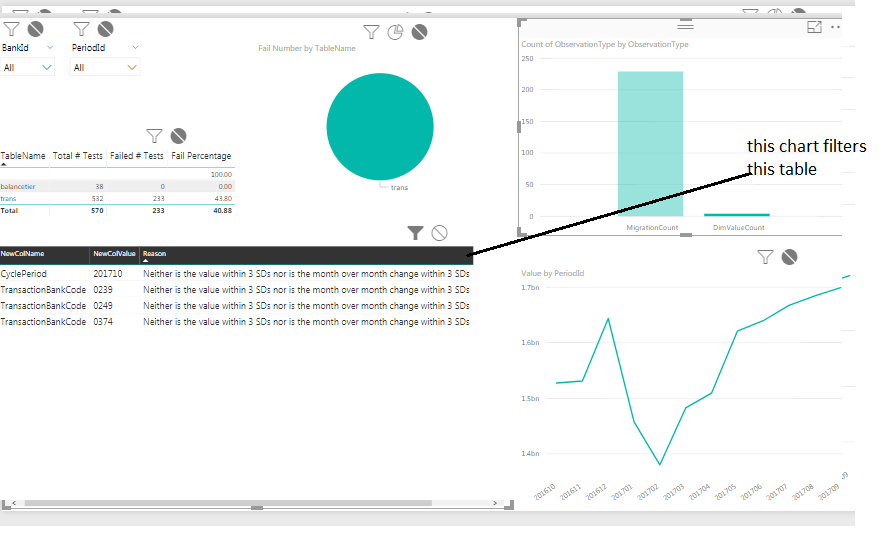
i have a 2 column bar chart, if i select a bar chart it filters a Table (which is good). but if i click anywhere on the table to scroll it, it removes the filter


how can i keep the filter on from other chart while i work with this table to see the values...???

7 REPLIES 7
garvicasas
Helper I
Helper I

that's strange. the filter normally doesn't change this state (selected) if you don't press it.

try again, if you want after refreshing, and taking care to not press anything inside the char to scroll.

i want to keep the viz the same regardless if i press inside my table viz... i dont want to deselect it, i want to keep the filter on


also, there is no scrollbar if you dont press the table.... the scrollbar appears after you press the table which causes the filter to turn off.... i cant be the first to spot this, i assume there is a button that helps with this functionality

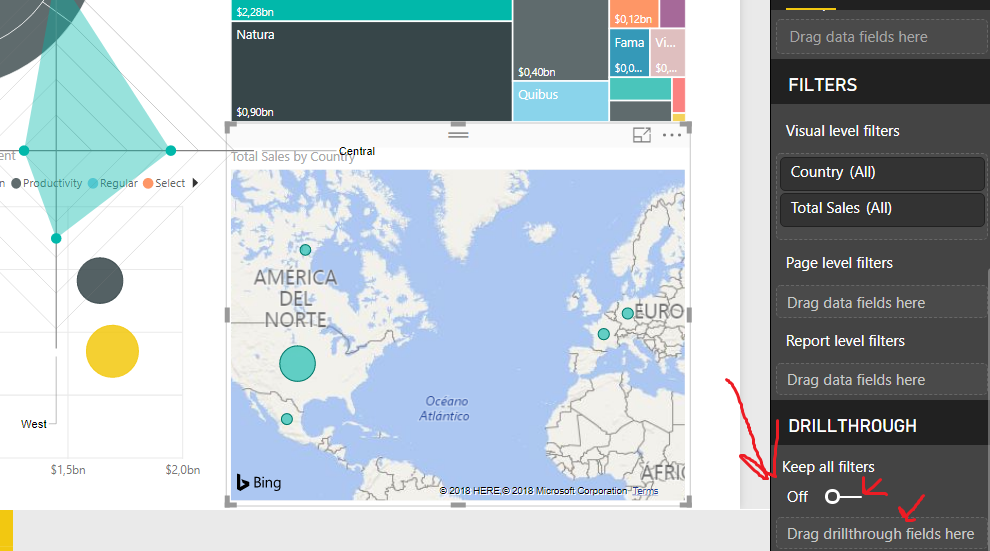
i suppose you can use the drillthrough option. with this only the ones inside will get modifyed when you press the slide

not sure what you mean, can you be more specific.  here is a screen shot.  i want to keep the table filtered even though i click in and view contents.. this is only 4 rows, but i have ones with 50 rows...

PBI filter.png

Hi @ilcaa72,


Until now, your requriement can not be achieved, please review the following idea and vote it.

https://ideas.powerbi.com/forums/265200-power-bi-ideas/suggestions/12554175-accumulative-filtering-t...

Thanks,
Angelia

Hi @v-huizhn-msft,

i think that she doesnt want to have an accomulative filter(also with two filters wouldn't have a problem with the limit) but instead she doesn't want to apply the filter

ajuda.png

what i mean is that the DRILLTHROUGH option lets you choose which charts do you want to be modified when you use some filters, and which won't.

i think this can help you.

Helpful resources

Announcements
April Power BI Update Carousel

Power BI Monthly Update - April 2026

Check out the April 2026 Power BI update to learn about new features.

Fabric SQL PBI Data Days

Data Days 2026 coming soon!

Sign up to receive a private message when registration opens and key events begin.

New to Fabric survey Carousel

New to Fabric Survey

If you have recently started exploring Fabric, we'd love to hear how it's going. Your feedback can help with product improvements.

Power BI DataViz World Championships carousel

Power BI DataViz World Championships - June 2026

A new Power BI DataViz World Championship is coming this June! Don't miss out on submitting your entry.