Join us at FabCon Atlanta from March 16 - 20, 2026, for the ultimate Fabric, Power BI, AI and SQL community-led event. Save $200 with code FABCOMM.
Register now!The Power BI Data Visualization World Championships is back! It's time to submit your entry. Live now!
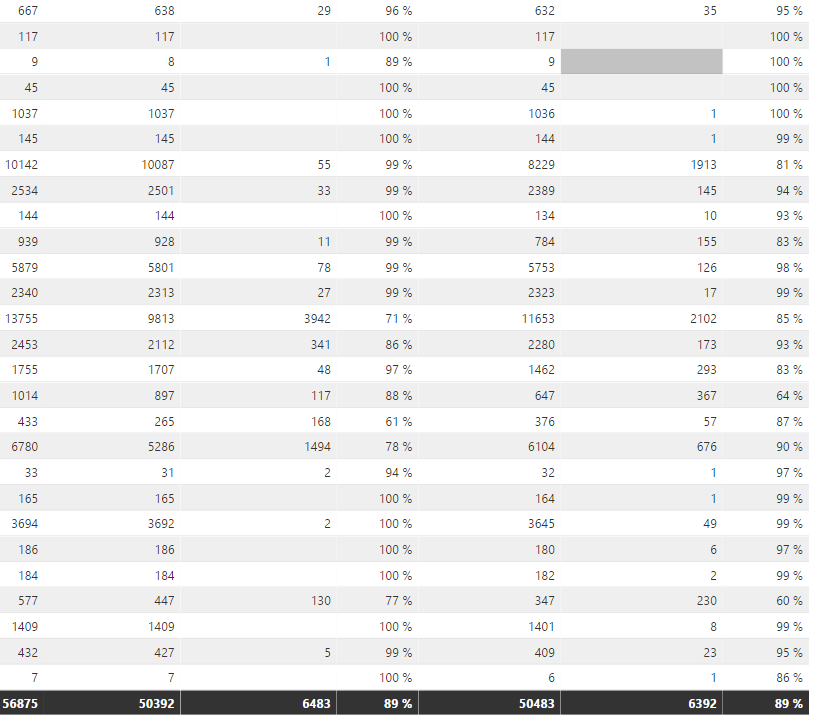
If it is greater than 90%, i want to display in green color. if it is between 80 to 90%, i want to display in amber color. please help me on this.
Hi @kalpanaV,
Currently, it is not supported to specify different colors for each category, in other words, set row color based on specific value.
Regards,
Yuliana Gu
Have you tried a Confitional Formatting: (In the most recent Power BI Dekstop version, you have to pick 'Color Scales' after Conditional Formatting, but the rest of this document should help?)
https://powerbi.microsoft.com/en-us/documentation/powerbi-desktop-conditional-table-formatting/
Proud to give back to the community!
Thank You!
Hi
Thank you, i read this document. but the thing is , i want to mention greater than or less than in numbers.. ie particular no i want to give.
What i want is
if it is greater than 95%, it should be in green color.
if it is between 85% to 95%,it should be in amber color.
if it is below 85%, it should be in red color.
Hi @kalpanaV,
I can understand your requirement. You want to set the background of cell or row conditionally based on percentage value, right? Unfortunately, this is not supported now.
Regards,
Yuliana Gu
| User | Count |
|---|---|
| 56 | |
| 41 | |
| 38 | |
| 21 | |
| 21 |
| User | Count |
|---|---|
| 140 | |
| 102 | |
| 64 | |
| 36 | |
| 35 |