Get certified for free when you join Fabric Data Days 2026 and dive into Fabric, Power BI, SQL, AI, and other essential data skills.
Join nowData Days is here! Join us now for 60+ days of learning, challenges, and connection. Learn more
Hello all,
I have a report that analyses the number of costumers that come to my business, I made some KPI's that compares the number of costumers from a chosen day with the same day from the previous week.
What I would like to do is that when I open the report I could see today's values compared with last week without haven to select the date of today in the timeline first.
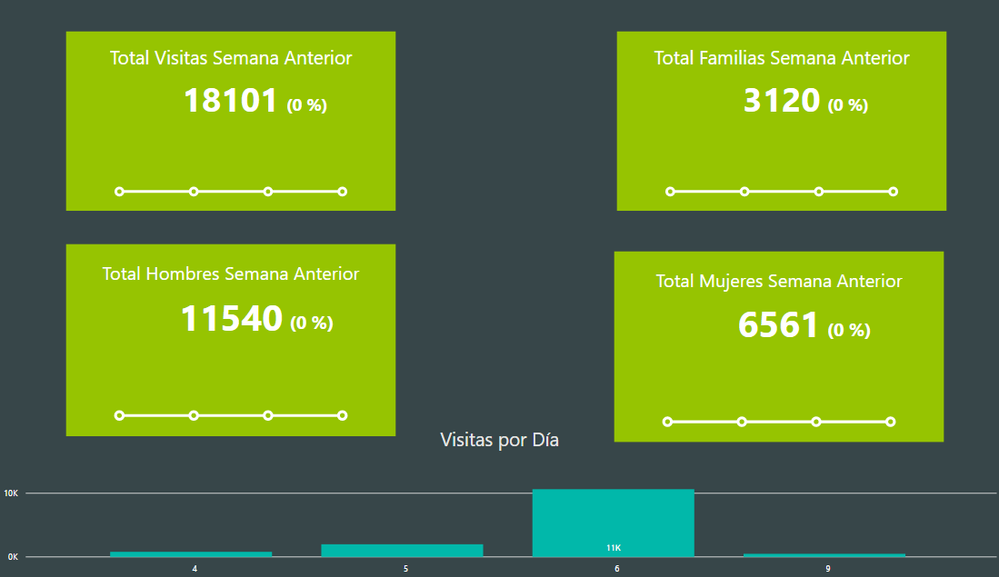
Here is what I see when I open my report:
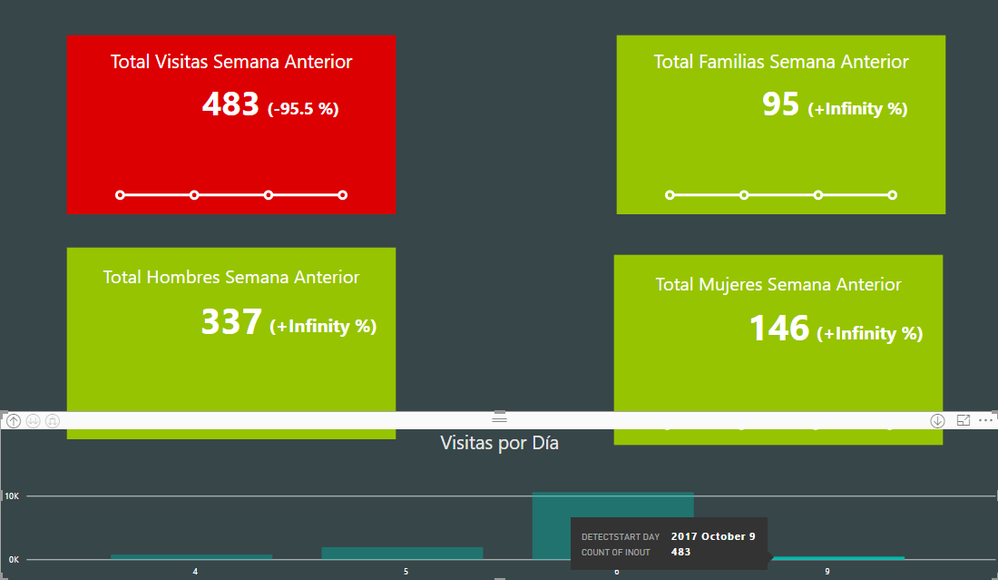
And this is how I need to filter the data to see today's analysis:
Is there any idea of how can I do it?
Thanks!
Solved! Go to Solution.
You could add an additional slicer by creating a calculated column, and select "Yes" by default.
IsToday = IF ( Table1[Date] = TODAY (), "Yes", "No" )
You could add an additional slicer by creating a calculated column, and select "Yes" by default.
IsToday = IF ( Table1[Date] = TODAY (), "Yes", "No" )
Don't miss out on Data Days, June 15 through August 7. Learn Fabric, Power BI, SQL, AI and more.
Check out the May 2026 Power BI update to learn about new features.
| User | Count |
|---|---|
| 23 | |
| 23 | |
| 21 | |
| 17 | |
| 14 |
| User | Count |
|---|---|
| 58 | |
| 50 | |
| 37 | |
| 29 | |
| 24 |