Hi all,
My team is using a feature of Power BI called aggregation tables, essentially to work around the size limitations of bringing tables into import mode. These aggregate tables have significantly improved our report performance.
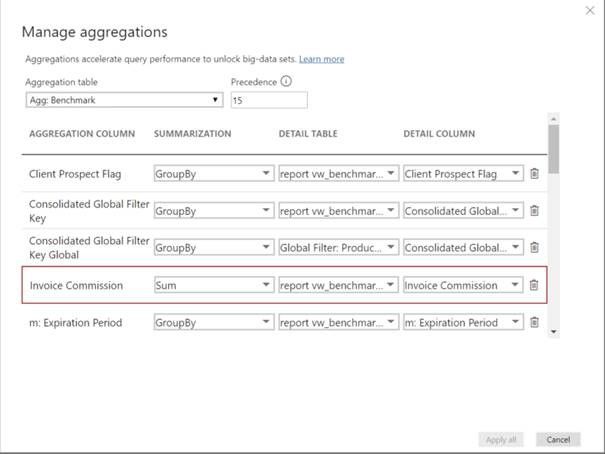
However, I run into an issue pretty regularly that I haven't been able to figure out. The issue is that a red box appears around the Sum column (screenshot below), with no error message, and the Apply button on the Manage Aggregations screen becomes grayed out. This only happens on joined aggregate tables that point to two different underlying tables. This is what happens:
- After mapping a few Group By columns, a red box appears around the first aggregation column, specifically the Sum type for our use cases
- If you delete the first aggregation column, the red box jumps to the next one
- The strange thing is, it sometimes appears when re-opening the aggregate table later, after successfully mapping and publishing it once
Resolution steps tried:
- Updating to latest version of Power BI (this fixed it once, but it’s returned since)
- Closing out of Power BI and reopening (no effect)
- Using the trash can icon to delete the mapped column and re-adding (no effect)
- Refreshing the table (no effect)
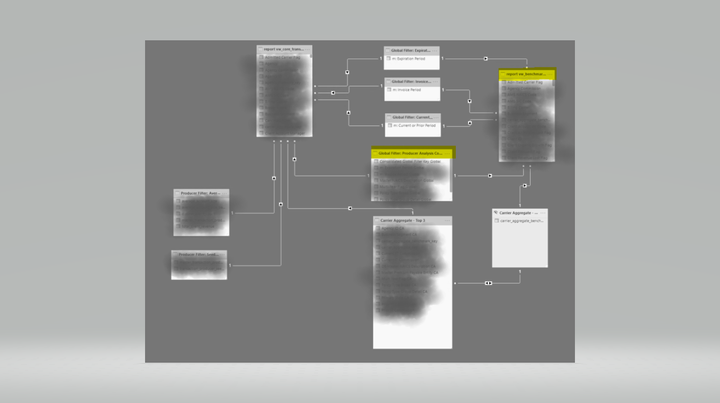
Data model:
Any ideas on what could be causing this error? Thanks for your help!


